How do I find a specific code?
The Rates tab has no search box. Filter to the code's category, sort by Code and click it, or go straight to its page by address.
1 video · 8 sec in all · 1 written guide
Written guide
Find a code without search
Step by step
Before you start. The Rates tab has no search box, so you narrow the board to the code's category and sort it by code instead.
- Click Rate Watch in the top bar and stay on the Rates tab.
- Open Product category and pick the code's category, for example Urological Supplies.
- Open Sort and choose Code. The rows run in code order, with each code's payers together.
- If the code is further down, click Load more under the table. Each click adds the next 50 rows.
- Click the code in the Code column to open its page.
- To skip the board, type app.payortransparency.app/rate-watch/ and the code in capital letters into your browser's address bar, for example app.payortransparency.app/rate-watch/A4351.
What you see. The code's own page opens with its benchmark at the top.
Tip. Codes outside your workspace's bundles never show as rows, so look for their bundle under Not in your bundles below the table.
- Use case
- How do I find a specific code?
- Feature
- Rates board
- Task
- Find a code without search
Video 1 of 1 · 8 sec
Open a code's page
Captions are in the video. The steps and the full narration are below.
Step by step
Before you start. The Rates tab of Rate Watch lists one row per code and payer.
- Click Rate Watch in the top bar. The Rates tab opens.
- Find the code's row. Choose Code in the Sort menu to list codes in order, or turn on Watching to show only the codes you watch.
- Click the code, for example A4351. Its page opens.
What you see. The code's page shows the Benchmark block for your profile state under the State, Payer and Month filters. Click Back to Rates to return to the board.
Tip. A code page always opens on your profile state, whatever state the board was on.
Read the narration
On the Rates board, click a code, like A4351. Its page opens on the Benchmark for your state.
Screens from this video
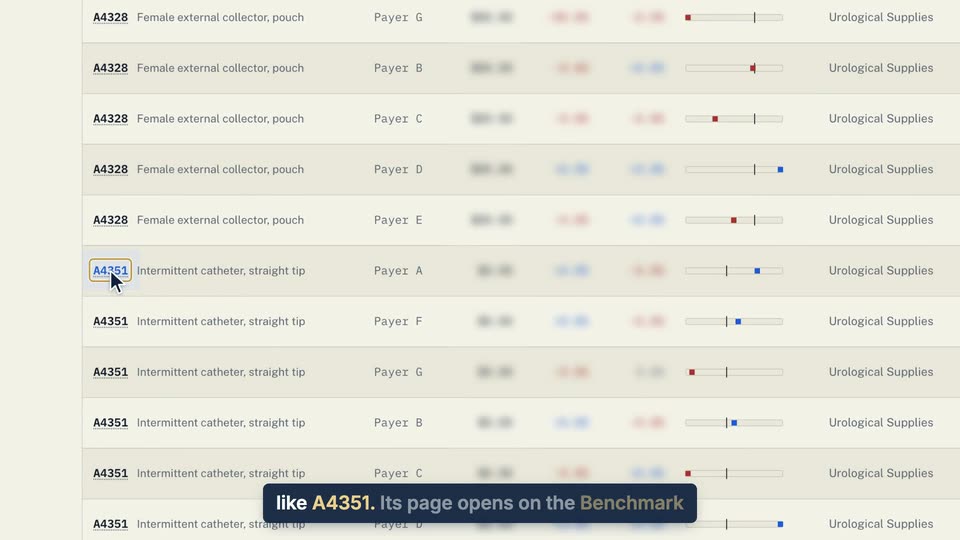
01 On the Rates board, click a code, like A4351. 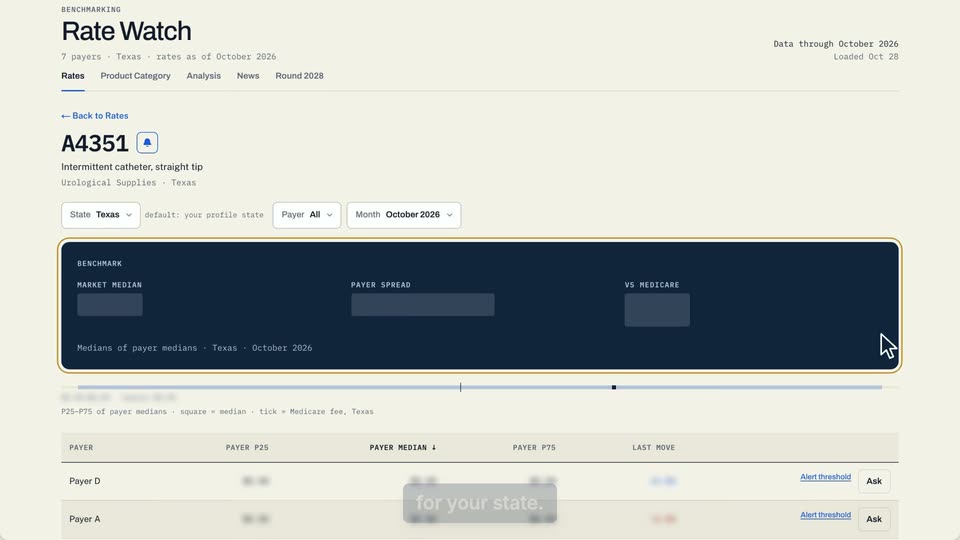
02 Its page opens on the Benchmark for your state.
- Use case
- How do I find a specific code?
- Task
- Open a code's page