What changed for this code?
On a code page, Play-by-play lists every published policy, coding and fee schedule item for the code, newest first, and the rate movements recorded for you.
1 video · 8 sec in all
Video 1 of 1 · 8 sec
See what changed for a code
Captions are in the video. The steps and the full narration are below.
Step by step
Before you start. Open a code page, for example A4351, from the Rates tab of Rate Watch.
- On the code page, scroll down past the payer table to Play-by-play.
- Standing shows the latest item. Changelog lists every published item for the code, newest first, with its type and effective date.
- Click an item title to read it. It opens in a panel on the right.
- Below the Changelog, Rate movements lists the rate alerts recorded for you on this code.
What you see. The panel shows the item's summary, the codes it affects and its citations. Click ✕ close to go back to the code page.
Tip. Rate movements lists only the rate alerts recorded for your account. It is not a full history of rate changes.
Read the narration
On a code page, find Play-by-play. Under Changelog, click a title. It opens on the right.
Screens from this video
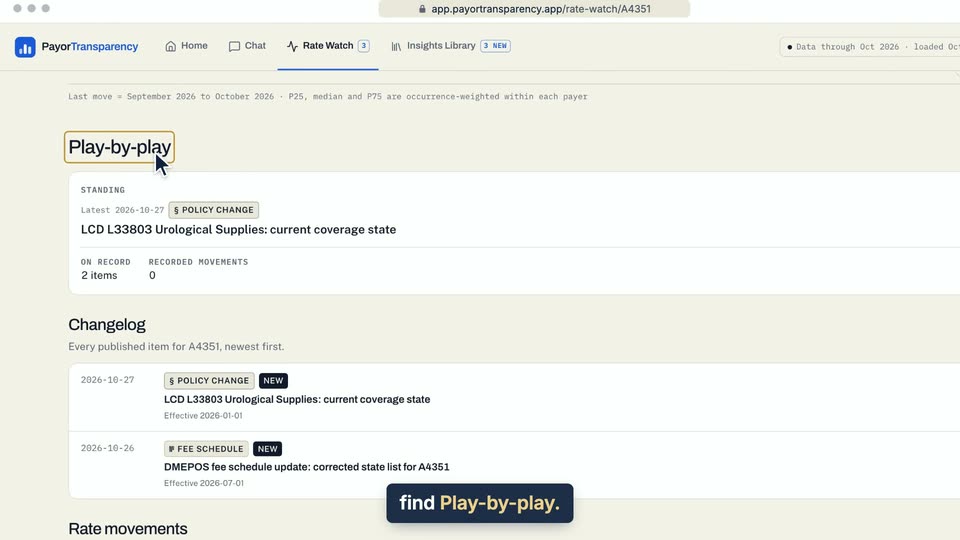
01 On a code page, find Play-by-play. 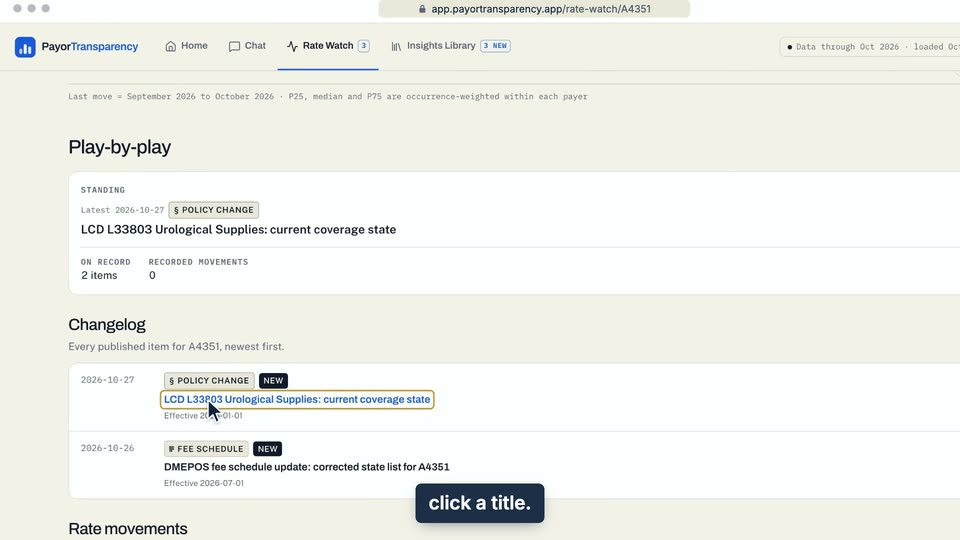
02 Under Changelog, click a title.
- Use case
- What changed for this code?
- Feature
- Code page play-by-play
- Task
- See what changed for a code