Where do I see my rate alerts?
Click the bell in the top bar, or open Rate Watch, News, Rate movements. Each unread alert stays there until you open it or mark it seen.
2 videos · 15 sec in all
Video 1 of 2 · 8 sec
Open your rate alerts
Captions are in the video. The steps and the full narration are below.
Step by step
Before you start. The bell is in the top bar on every page. On a phone, tap your initials and choose the first link in the menu, which reads Rate alerts or shows how many alerts are unread.
- Look for a dot on the bell in the top bar, left of your initials. It means you have unread rate alerts.
- Click the bell.
- Rate movements opens, with your alerts listed under Rate movements by month.
What you see. Each row shows the code and payer, how its rate moved, and the state and month. Mark seen clears one alert, and Mark all seen clears them all.
Tip. Clicking an alert's code and payer opens that code's page and clears the alert.
Read the narration
A dot on the bell means unread alerts. Click the bell. Rate movements lists each one by month.
Screens from this video
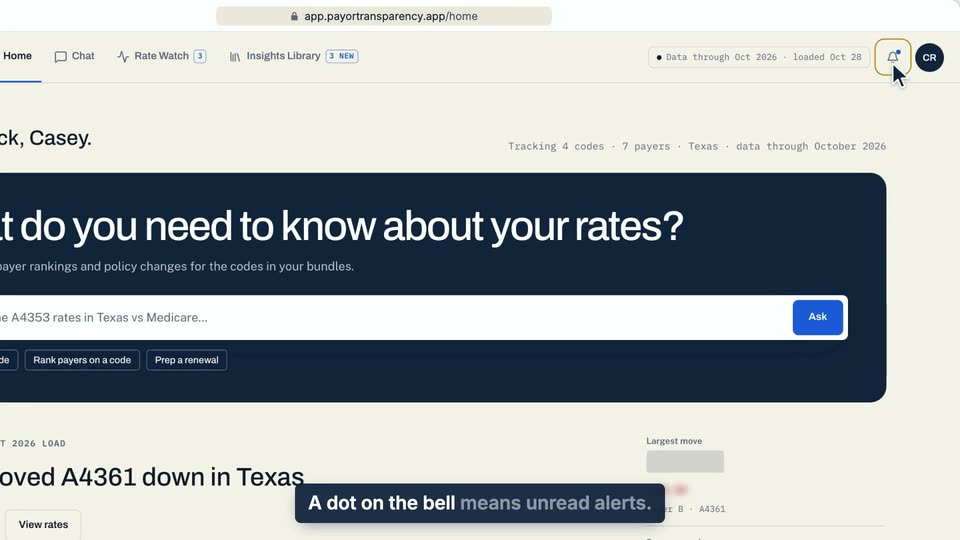
01 A dot on the bell means unread alerts. 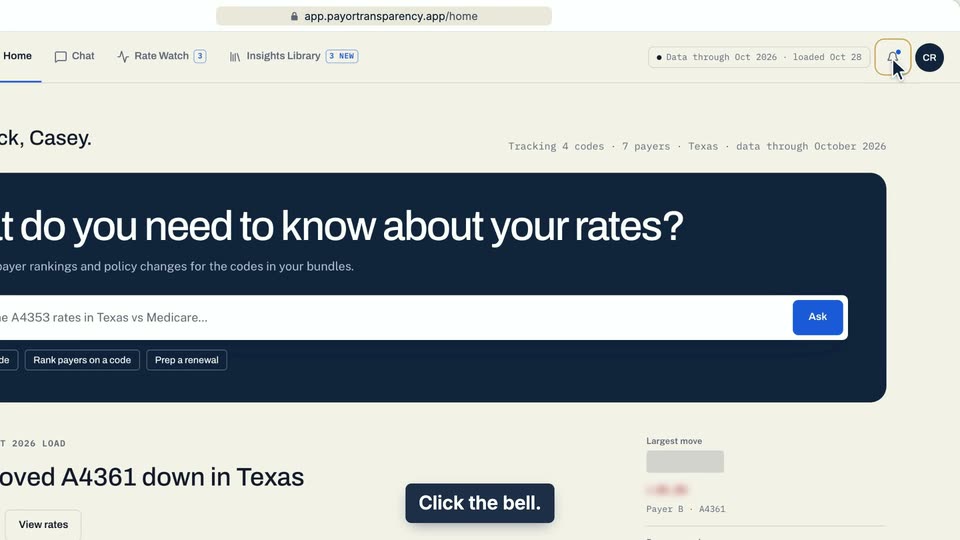
02 Click the bell. 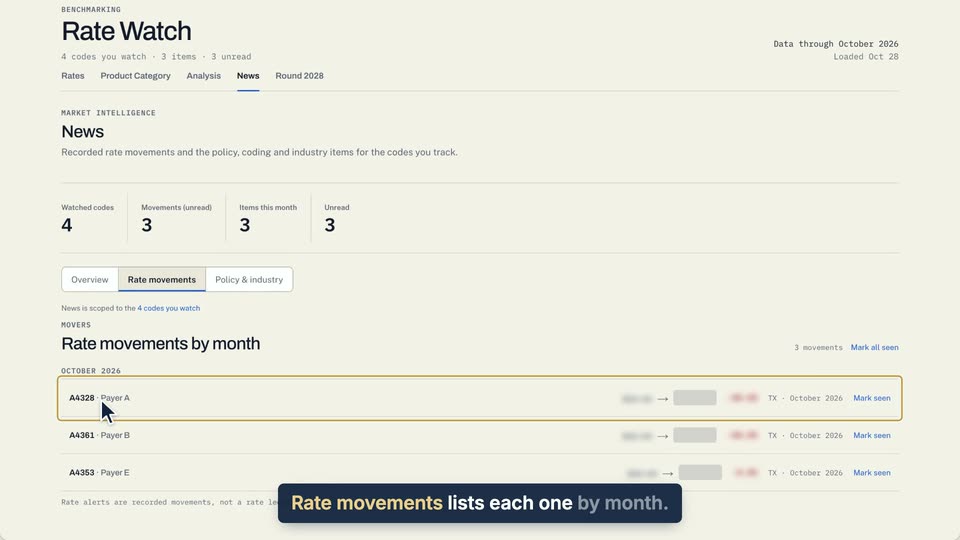
03 Rate movements lists each one by month.
- Use case
- Where do I see my rate alerts?
- Feature
- Rate alerts bell
- Task
- Open your rate alerts
Video 2 of 2 · 8 sec
Mark an alert seen
Captions are in the video. The steps and the full narration are below.
Step by step
Before you start. Your unread rate alerts are listed under Rate movements on the News tab of Rate Watch.
- Click Rate Watch in the top bar, click News, then click Rate movements. The bell at the top right opens the same list.
- Click Mark seen at the end of an alert's row.
- To clear every alert at once, click Mark all seen above the list.
What you see. The alert leaves the list and the Movements (unread) count drops by one. Once every alert is cleared, the list reads Nothing unread.
Tip. Clicking the code at the start of an alert's row also clears that alert and opens the code's page.
Read the narration
On Rate movements, click Mark seen to clear one alert. Mark all seen clears the rest.
Screens from this video
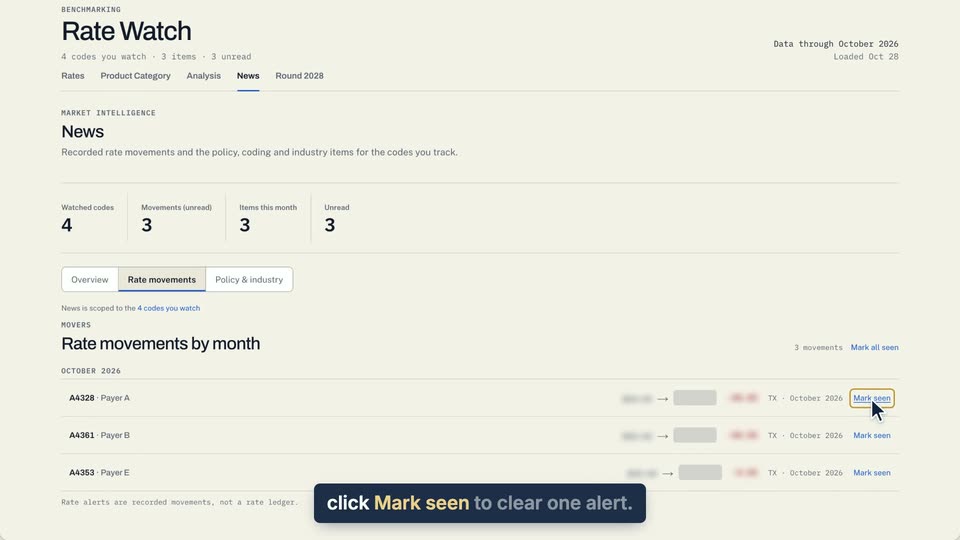
01 On Rate movements, click Mark seen to clear one alert. 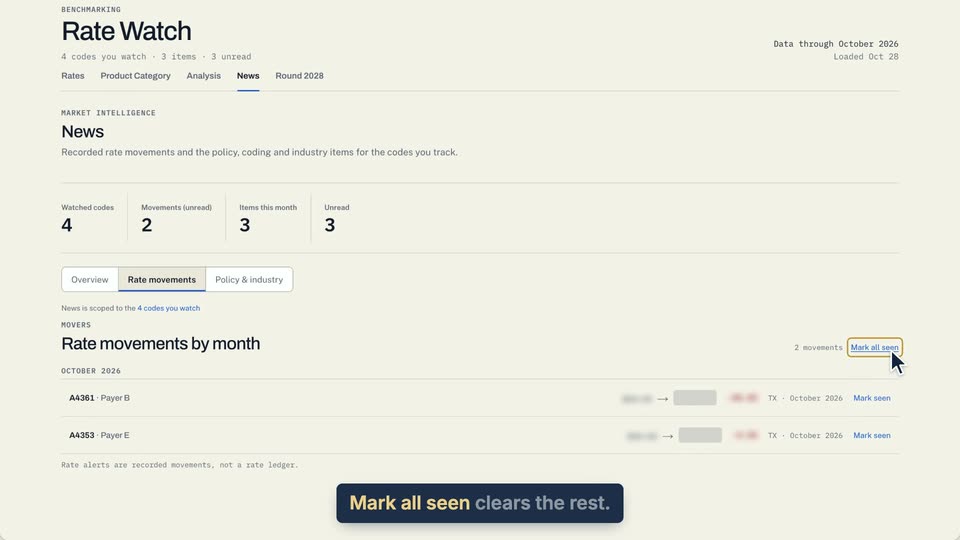
02 Mark all seen clears the rest.
- Use case
- Where do I see my rate alerts?
- Task
- Mark an alert seen