How do I ask a catalog question in Chat?
Click Open in chat on a question and Chat asks it in a new conversation. Questions with blanks use Fill in so you can pick the code, payer, state or month first.
1 video · 8 sec in all · 1 written guide
Video 1 of 1 · 8 sec
Ask a catalog question
Captions are in the video. The steps and the full narration are below.
Step by step
Before you start. Start on the Catalog tab of Insights Library in the top bar.
- Click Answerable now above the list to see the questions your loaded data can answer. A topic on the left, such as Negotiation prep, narrows the list.
- Find a question whose badge reads Answerable now.
- Click Open in chat on that row. The button reads Opening… while Chat starts a new conversation and asks the question.
What you see. Chat opens with your question asked, and the answer appears under it.
Tip. Every click starts a new conversation, and a question with blanks shows Fill in instead.
Read the narration
In the Catalog, find a question marked Answerable now. Click Open in chat, and Chat asks it.
Screens from this video
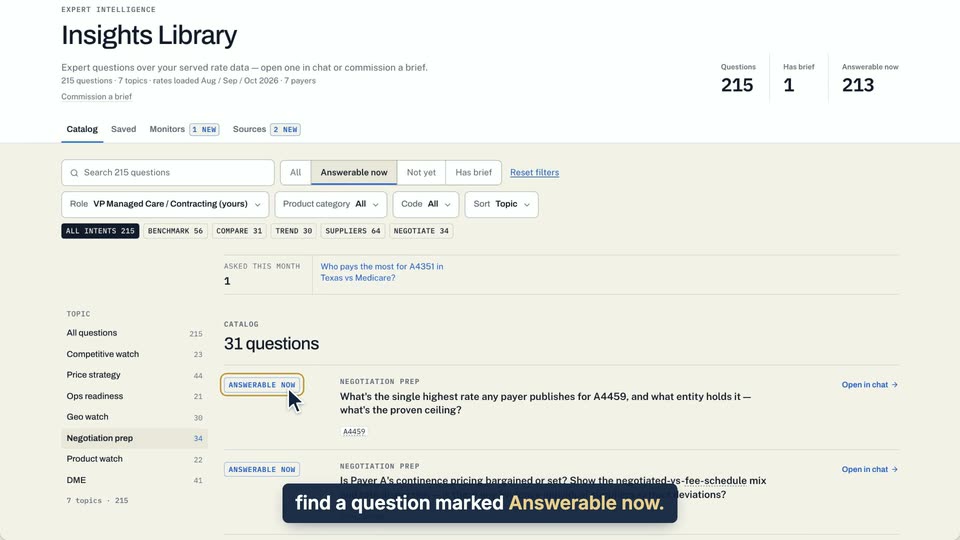
01 In the Catalog, find a question marked Answerable now. 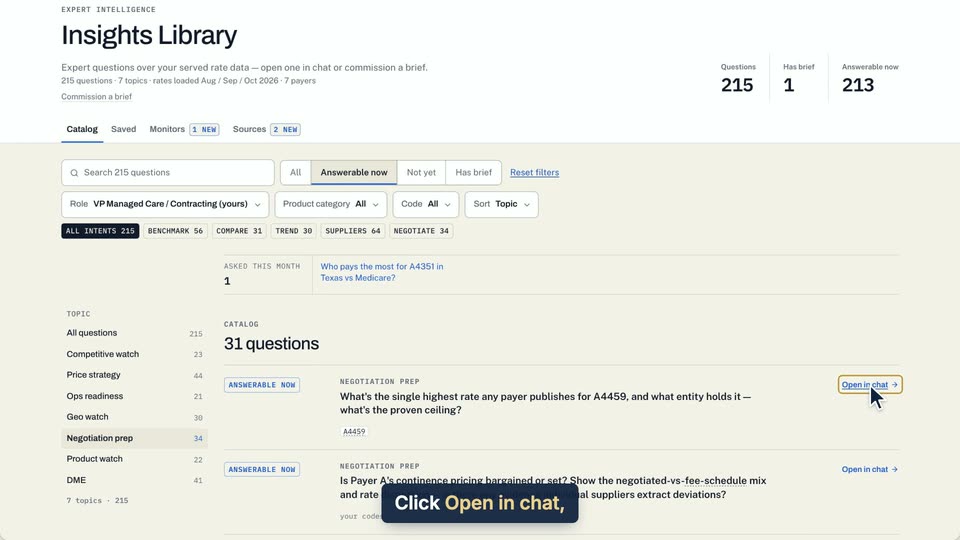
02 Click Open in chat, and Chat asks it.
- Use case
- How do I ask a catalog question in Chat?
- Feature
- Open in chat and Fill in
- Task
- Ask a catalog question
Written guide
Fill in a question with blanks
Step by step
Before you start. Some catalog questions have blanks in square brackets, such as [code] or [state]. Their action reads Fill in in place of Open in chat.
- Open Insights Library and stay on the Catalog tab.
- Find a question with blanks in brackets and click Fill in at the right of its row. If none shows on the first page, click Next under the list.
- A box opens with the question and one picker per blank, such as CODE or STATE. Each starts at Choose.
- Pick a value for every blank. The lists offer only values your bundles and data allow.
- Click Ask. Chat opens a new conversation and asks the completed question.
What you see. The answer appears in the new conversation, which joins your Conversations list in Chat. Click Cancel in the box to close it without asking.
Tip. If a row says Needs a code in your bundles in place of Fill in, no value fits one of its blanks, so it cannot be filled in.
- Use case
- How do I ask a catalog question in Chat?
- Feature
- Open in chat and Fill in
- Task
- Fill in a question with blanks