How do I ask a question about rates?
Type your question in Chat or in the box on Home and press Enter. Chips start a sentence for you, and Ask on a code page asks about one payer.
4 videos · 32 sec in all
Video 1 of 4 · 8 sec
Ask a question in Chat
Captions are in the video. The steps and the full narration are below.
Step by step
Before you start. Chat answers questions about rates for the codes in your plan.
- Click Chat in the top bar.
- Type your question in the box under the greeting, for example "Who pays the most for A4351 in Texas?".
- Press Enter or click the Send arrow at the right end of the box. The arrow stays dimmed until you type.
What you see. Your question opens a new conversation. The answer starts with the DIRECT ANSWER headline, then four summary tiles and a table that ranks the payers, with the Medicare fee as a benchmark row.
Tip. Name a code and a state, such as A4351 in Texas, for the sharpest answer.
Read the narration
In Chat, type your question in the box. Then click Send. Your answer starts with the DIRECT ANSWER.
Screens from this video
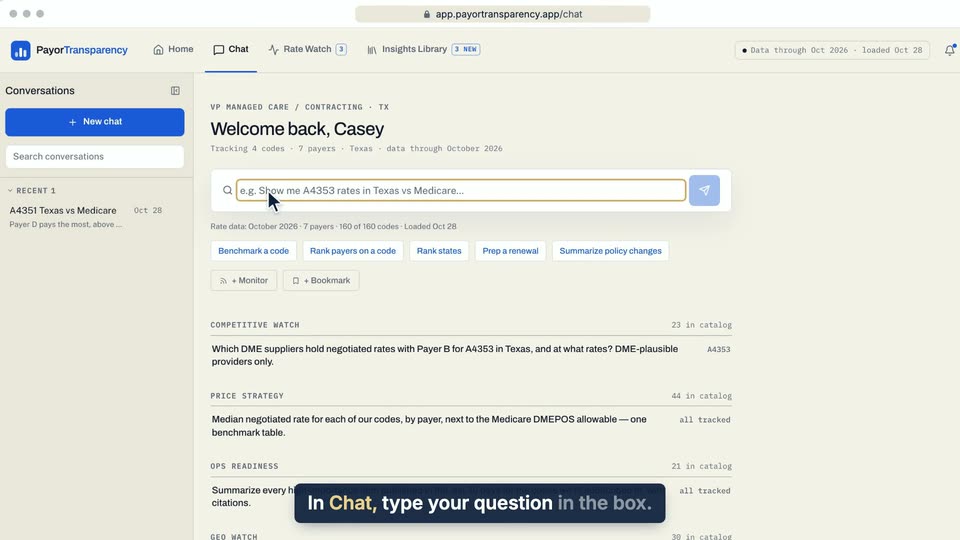
01 In Chat, type your question in the box. 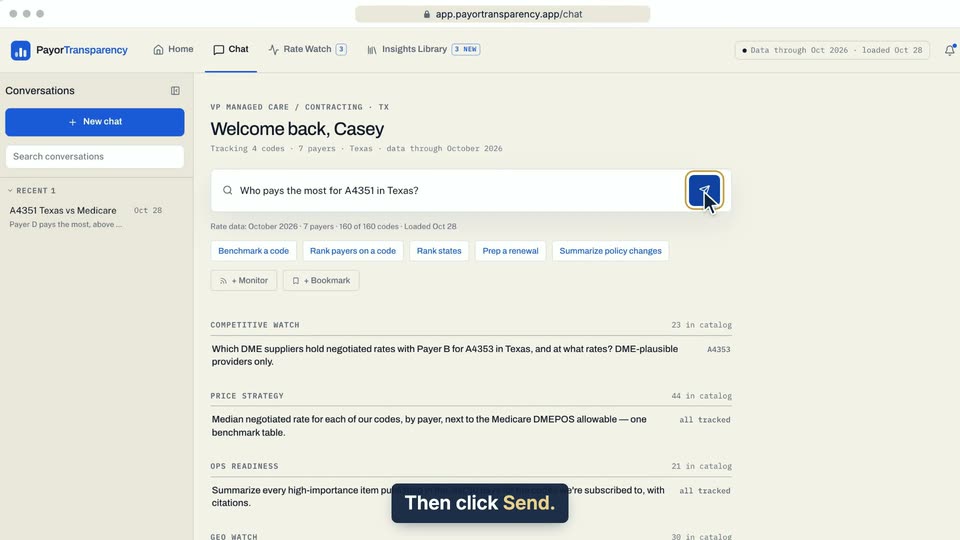
02 Then click Send. 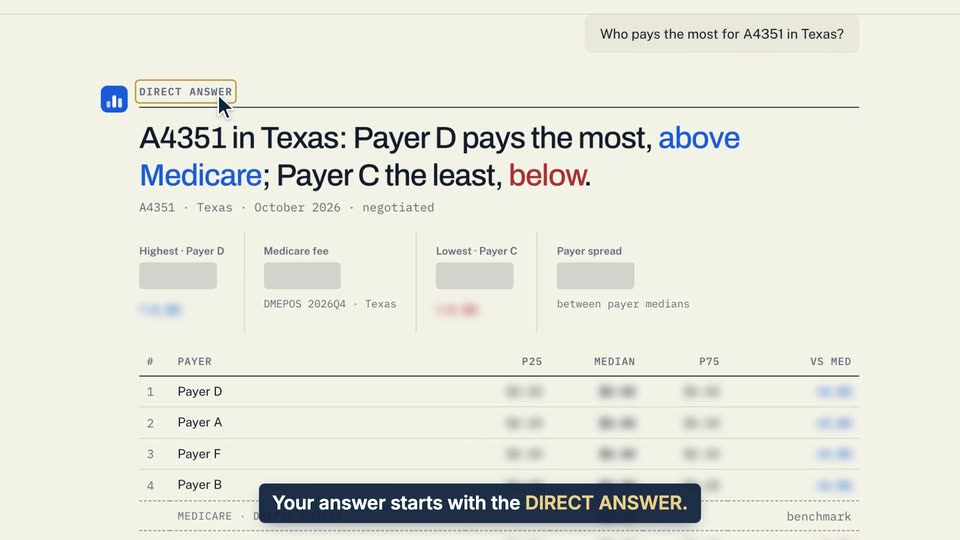
03 Your answer starts with the DIRECT ANSWER.
- Use case
- How do I ask a question about rates?
- Feature
- Ask a question
- Task
- Ask a question in Chat
Video 2 of 4 · 8 sec
Ask a question from Home
Captions are in the video. The steps and the full narration are below.
Step by step
Before you start. Start on Home, the first tab in the top bar.
- Click the box under What do you need to know about your rates?.
- Type your question, for example "Who pays the most for A4351 in Texas?".
- Click Ask or press Enter.
What you see. Chat opens a new conversation with your question at the top, and the answer starts with the DIRECT ANSWER.
Tip. The chips under the box, such as Benchmark a code, fill in the start of a question for you to finish.
Read the narration
On Home, click the box and type your question. Then click Ask. Chat opens with the DIRECT ANSWER.
Screens from this video
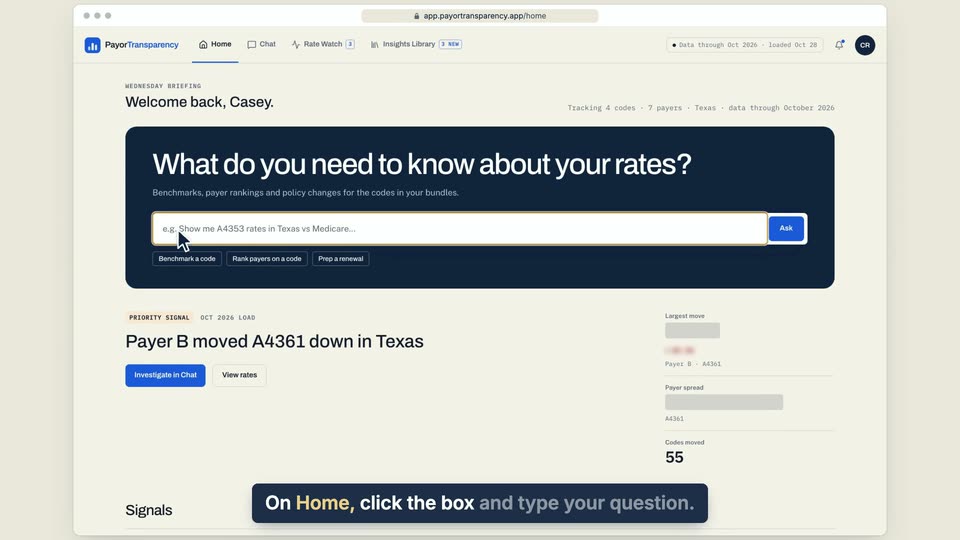
01 On Home, click the box and type your question. 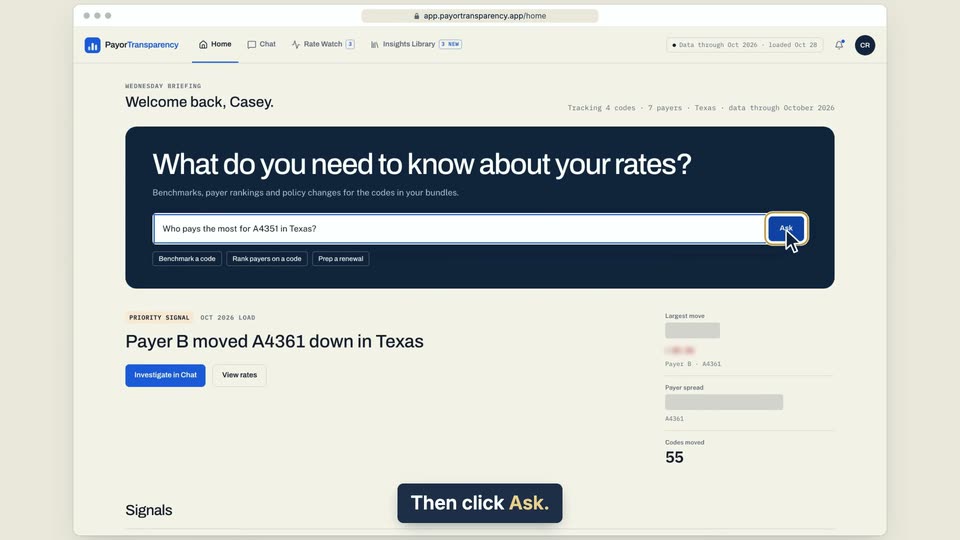
02 Then click Ask. 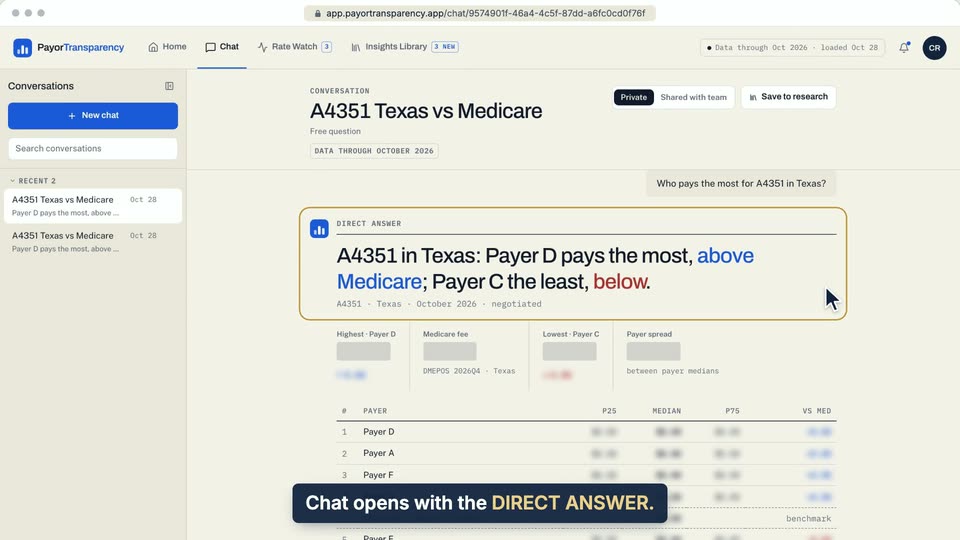
03 Chat opens with the DIRECT ANSWER.
- Use case
- How do I ask a question about rates?
- Task
- Ask a question from Home
Video 3 of 4 · 7 sec
Ask Chat about one payer
Captions are in the video. The steps and the full narration are below.
Step by step
Before you start. You need a code page open, such as the one for A4351.
- On Rate Watch, click a code, such as A4351, to open its page.
- Scroll to the payer table under the Benchmark and find the payer you want.
- Click Ask on that payer's row.
What you see. Chat opens with a question about how that payer pays the code against the market, and the answer follows.
Tip. The question names the payer, the code and the state you are viewing.
Read the narration
On a code page, click Ask on a payer's row. Chat answers how that payer compares.
Screens from this video
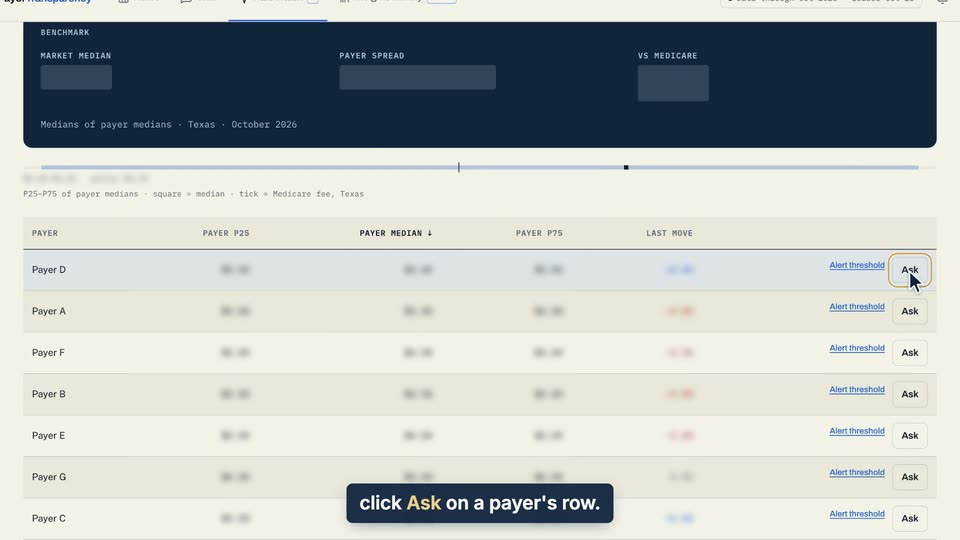
01 On a code page, click Ask on a payer's row. 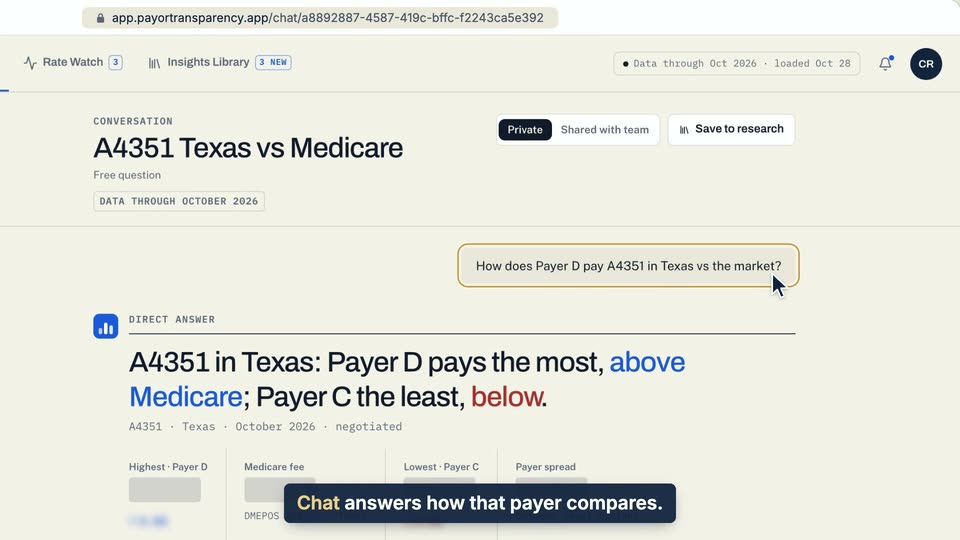
02 Chat answers how that payer compares.
- Use case
- How do I ask a question about rates?
- Feature
- Code page payer table
- Task
- Ask Chat about one payer
Video 4 of 4 · 10 sec
Start from a suggestion chip
Captions are in the video. The steps and the full narration are below.
Step by step
Before you start. The suggestion chips sit under the question box on the Chat start desk.
- Click Chat in the top bar.
- Click Benchmark a code under the question box. The box fills with the start of a question, and nothing is sent yet.
- Type the code at the end of the question, for example A4351.
- Click the Send arrow at the right end of the box.
What you see. A new conversation opens with your question, and the answer starts under DIRECT ANSWER.
Tip. The other chips, such as Rank payers on a code and Prep a renewal, work the same way and wait for you to finish the question.
Read the narration
Click Benchmark a code. The chip only fills the box. Type a code, click Send, and Chat answers.
Screens from this video
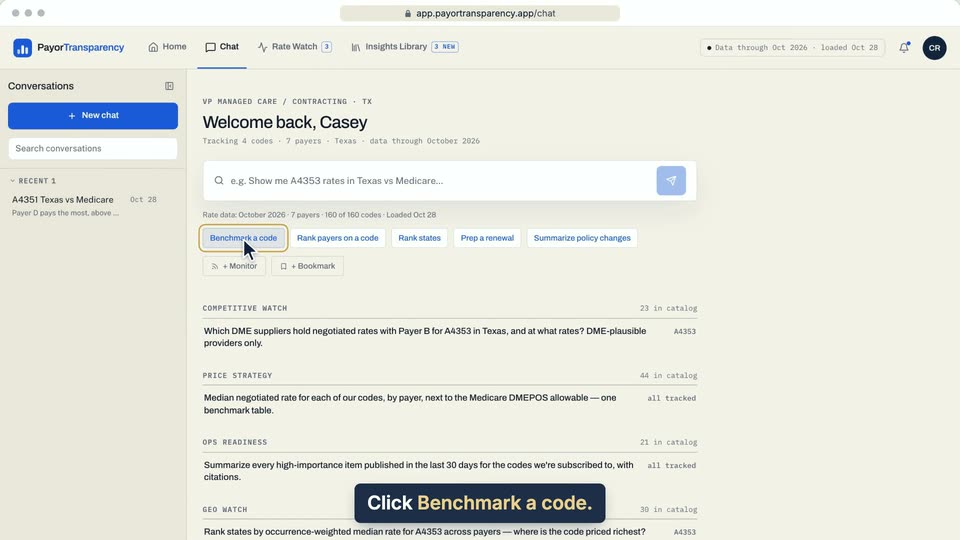
01 Click Benchmark a code. 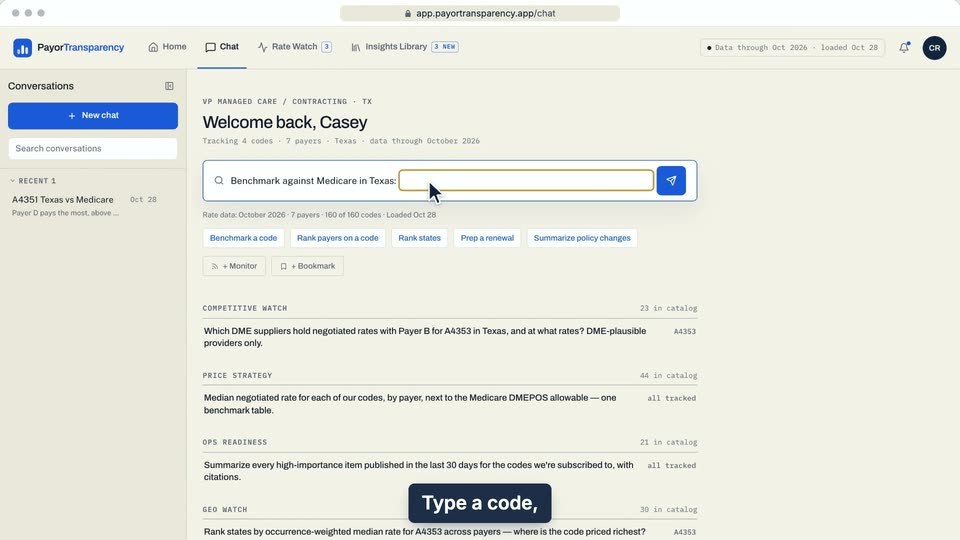
02 Type a code, click Send, and Chat answers. 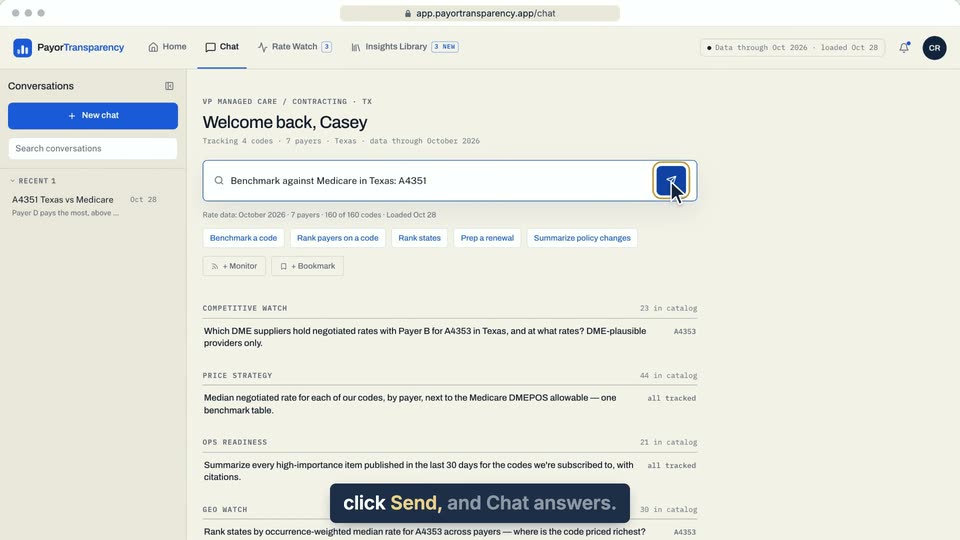
03 Type a code, click Send, and Chat answers. 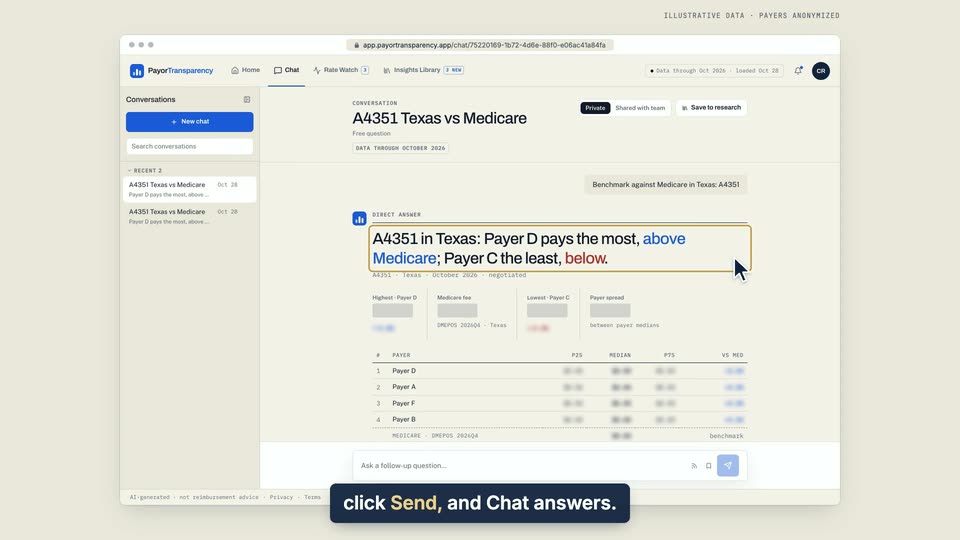
04 Type a code, click Send, and Chat answers.
- Use case
- How do I ask a question about rates?
- Feature
- Chat start desk
- Task
- Start from a suggestion chip