How do I read Chat's answer?
The Direct answer names who pays most and least against Medicare, with four tiles and a standings table. The chart below shows each payer's range, and dotted terms have definitions.
2 videos · 18 sec in all · 1 written guide
Video 1 of 2 · 9 sec
Read the direct answer
Captions are in the video. The steps and the full narration are below.
Step by step
Before you start. Open an answer in Chat, either a new question or one from Conversations.
- Read the headline under DIRECT ANSWER. It names the payer that pays the most and the one that pays the least, and says whether each is above or below Medicare.
- Read the four tiles, Highest, Medicare fee, Lowest and Payer spread. Highest and Lowest name their payers.
- Scan the standings table under the tiles. Payers are ranked by MEDIAN, and the MEDICARE · DMEPOS 2026Q4 row sits where the Medicare fee falls. Blue in VS MED is above Medicare and red is below.
What you see. Below the table, a chart shows each payer's range from p25 to p75.
Tip. The headline, tiles and table come straight from the query. Only the written paragraph is AI-generated.
Read the narration
The headline names who pays most and least. Tiles add the Medicare fee. Standings rank payers around Medicare.
Screens from this video
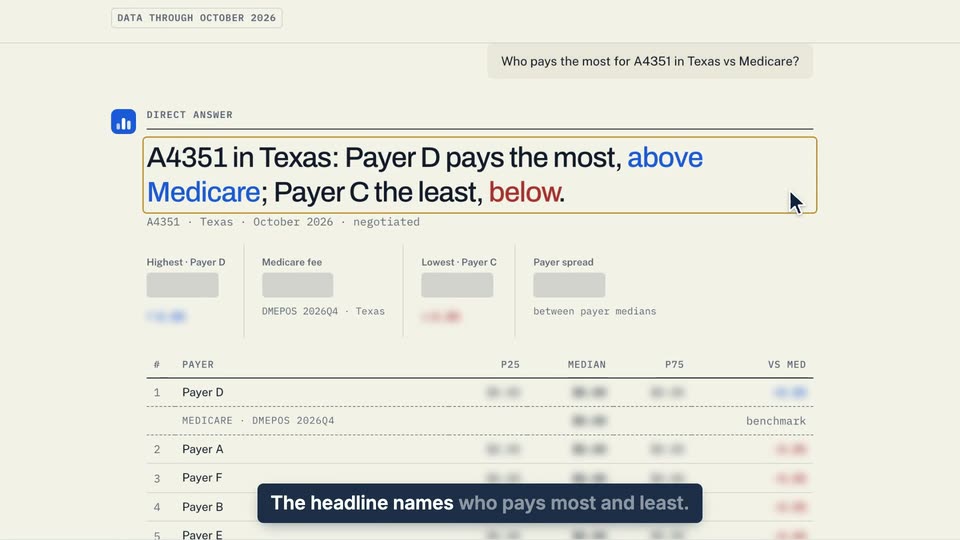
01 The headline names who pays most and least. 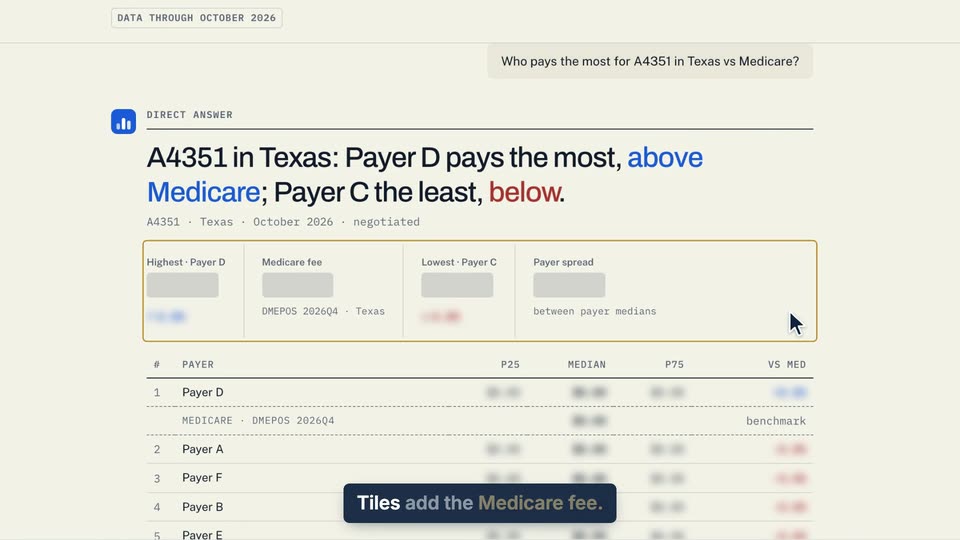
02 Tiles add the Medicare fee. 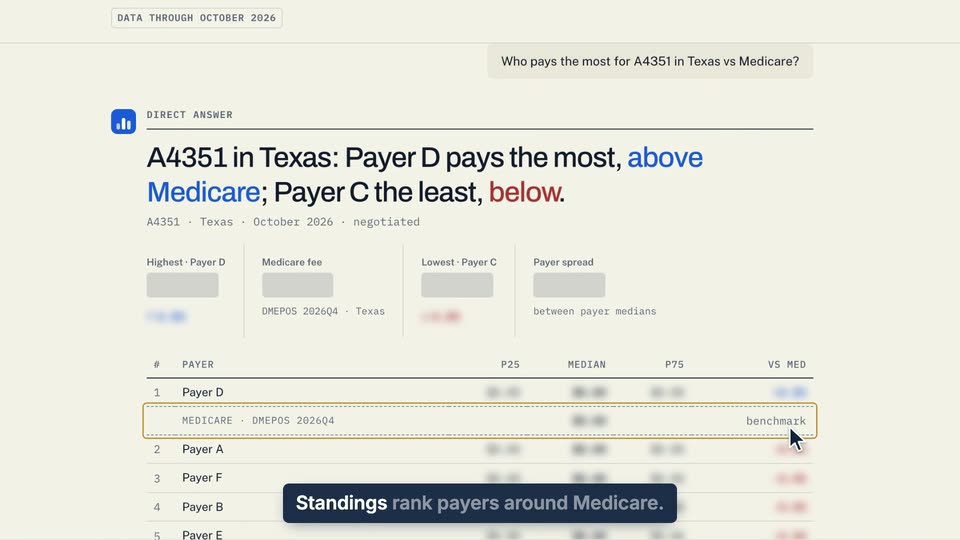
03 Standings rank payers around Medicare.
- Use case
- How do I read Chat's answer?
- Feature
- Direct answer block
- Task
- Read the direct answer
Video 2 of 2 · 10 sec
Look up p25, p50 and p75
Captions are in the video. The steps and the full narration are below.
Step by step
Before you start. Open a Chat answer that shows the Payer range chart.
- Find the line under the chart title that starts Negotiated rate distribution.
- Point at the dotted p50. A box above it gives the definition, the median negotiated rate, with half the rates on file below it and half above.
- Point at p25, p75 or negotiated the same way. p25 is the low end of the typical range and p75 the high end.
What you see. The definition stays open while the pointer rests on the term. Move away or press Esc to close it.
Tip. Press Tab to reach each term from the keyboard. Dotted words elsewhere in the app, such as on the Catalog, work the same way.
Read the narration
In Chat, point at the dotted p50. Its definition appears. p25 and p75 work the same way.
Screens from this video
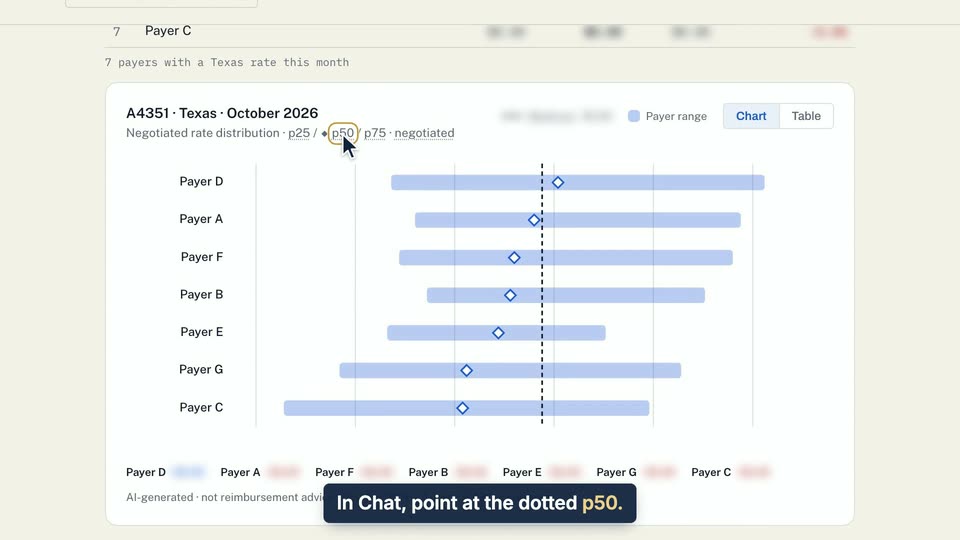
01 In Chat, point at the dotted p50. 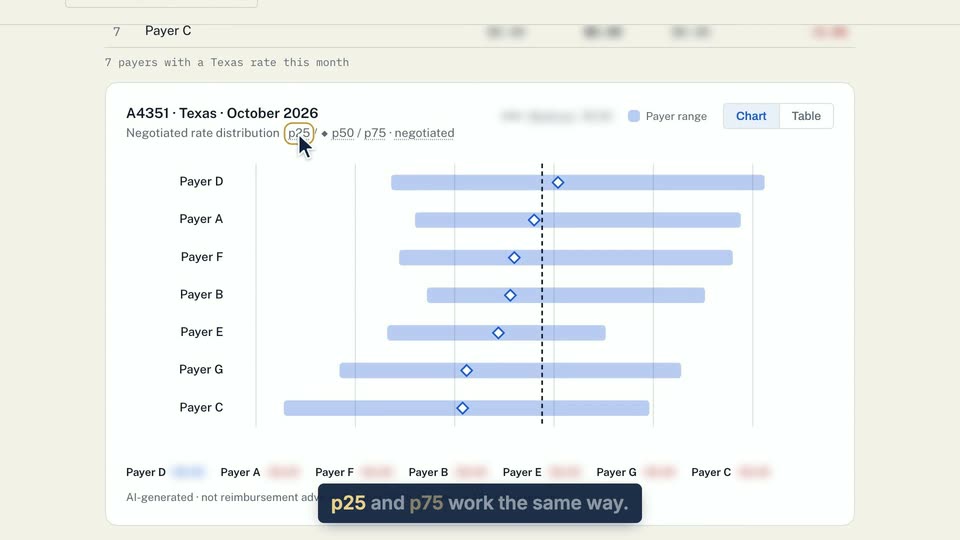
02 P25 and p75 work the same way.
- Use case
- How do I read Chat's answer?
- Feature
- Payer range chart and table
- Task
- Look up p25, p50 and p75
Written guide
Check how an answer was worked out
Step by step
Before you start. How was this calculated? sits under a Chat answer that ran a query.
- Click How was this calculated? under the answer. The panel opens in place.
- Read each query that ran. The line under a query gives the rows returned, how long it took and the data it read. A query that failed says so in red, with the reason.
- In the grid below, View is the data the queries read, Period the data month or months, Rows the total rows returned and Payers the payers in the result. If Rows adds that some calls failed or were truncated, the answer did not get every row it asked for.
- Geography says each rate's state comes from the provider's NPI. Baseline is the Medicare fee quarter the answer compares against, and Refreshed is when that rate data was last refreshed. A dash means the answer had none.
- Click Copy SQL to copy the exact query for your analyst. The button reads Copied for a moment, or Copy failed if your browser blocks the clipboard. A step that searched your saved research shows what it looked for instead, with no Copy SQL.
What you see. A saved brief and its share link show the same How was this calculated? panel for the data frozen in that version.
Tip. When the answer compares payers to the Medicare fee, the app builds the headline, the payer figures and the chart from the query's rows and that fee. AI writes the paragraph.
- Use case
- How do I read Chat's answer?
- Feature
- How was this calculated?
- Task
- Check how an answer was worked out