How do I ask a follow-up?
Type in the box at the bottom of the conversation, or click a Refine suggestion under the last answer and edit it. The answer appears under the previous one.
1 video · 8 sec in all
Video 1 of 1 · 8 sec
Ask a follow-up question
Captions are in the video. The steps and the full narration are below.
Step by step
Before you start. Open a conversation in Chat that already has an answer.
- Click Ask a follow-up question…, the box at the bottom of the conversation.
- Type your follow-up, for example "Who pays the least for A4351 in Texas?".
- Press Enter or click Send, the blue arrow button at the right end of the box.
What you see. Your follow-up and its answer appear under the earlier answer, and the conversation keeps its title.
Tip. Under the last answer, a REFINE suggestion fills the box with a ready follow-up you can edit before you send it.
Read the narration
Type your follow-up in the box at the bottom of the conversation. Click Send. The answer appears below.
Screens from this video
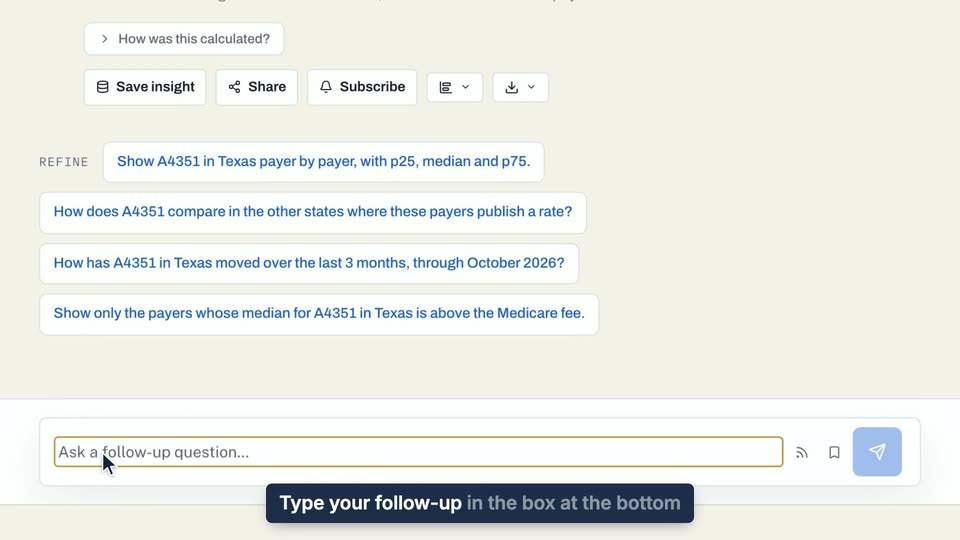
01 Type your follow-up in the box at the bottom of the conversation. 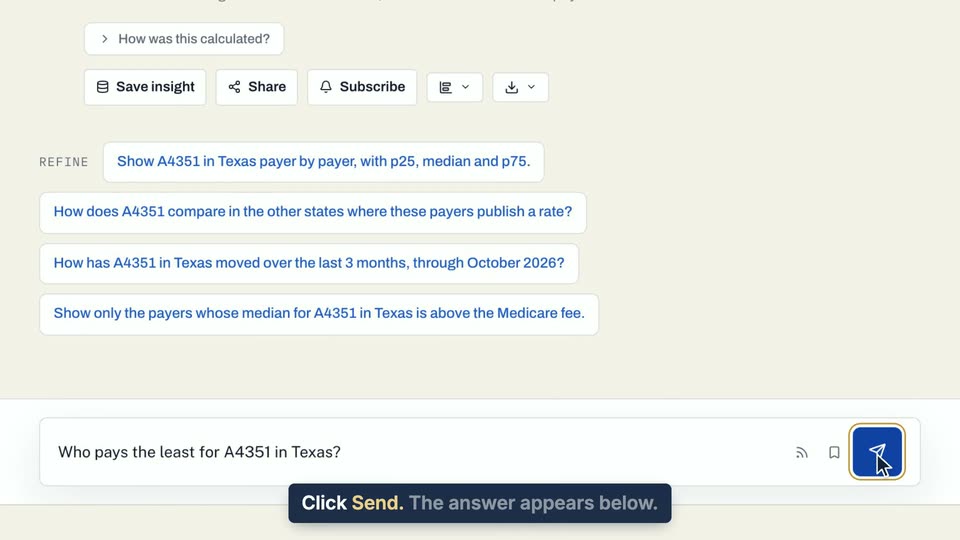
02 Click Send. 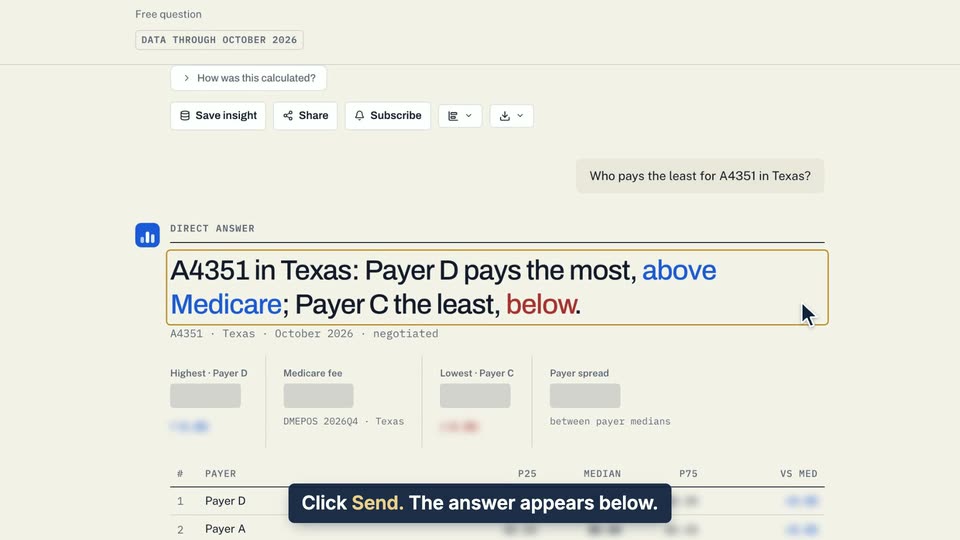
03 The answer appears below.
- Use case
- How do I ask a follow-up?
- Feature
- Follow-ups and Refine chips
- Task
- Ask a follow-up question