How do I find, rename or remove a conversation?
The Conversations list on the left of Chat holds every chat. Search it, start a new one, or use the menu on a row to rename, pin, archive or remove it.
2 videos · 17 sec in all
Video 1 of 2 · 8 sec
Find an earlier conversation
Captions are in the video. The steps and the full narration are below.
Step by step
Before you start. Open Chat in the top bar, and your earlier conversations are listed under Conversations on the left.
- Click Search conversations at the top of the Conversations list.
- Type a word from the title, for example "Texas". The list narrows as you type.
- Click the matching conversation.
What you see. The conversation opens on the right with its question and answer.
Tip. Search also checks the one-line summary under each title, and the list shows No matches when nothing fits.
Read the narration
In Chat, type a word in Search conversations. Click the match, and the conversation reopens.
Screens from this video
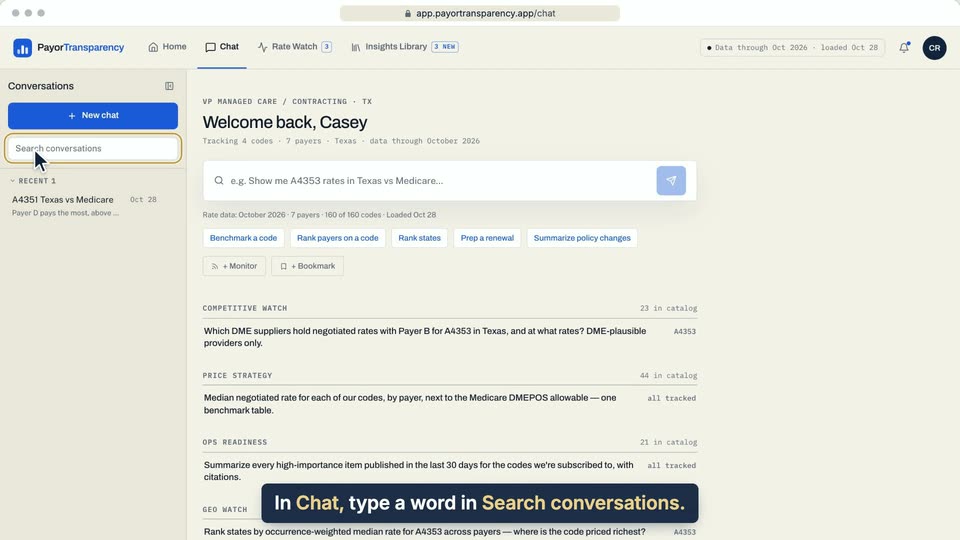
01 In Chat, type a word in Search conversations. 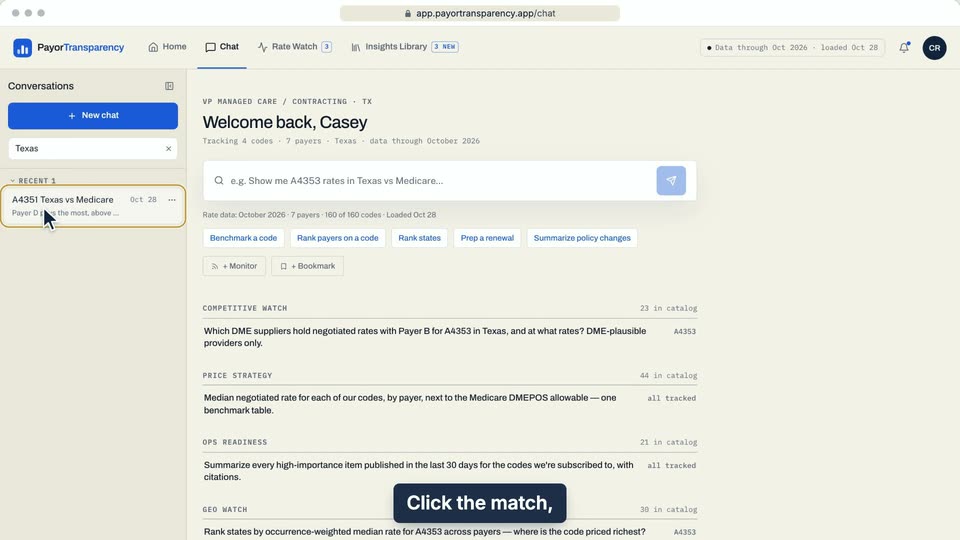
02 Click the match, and the conversation reopens. 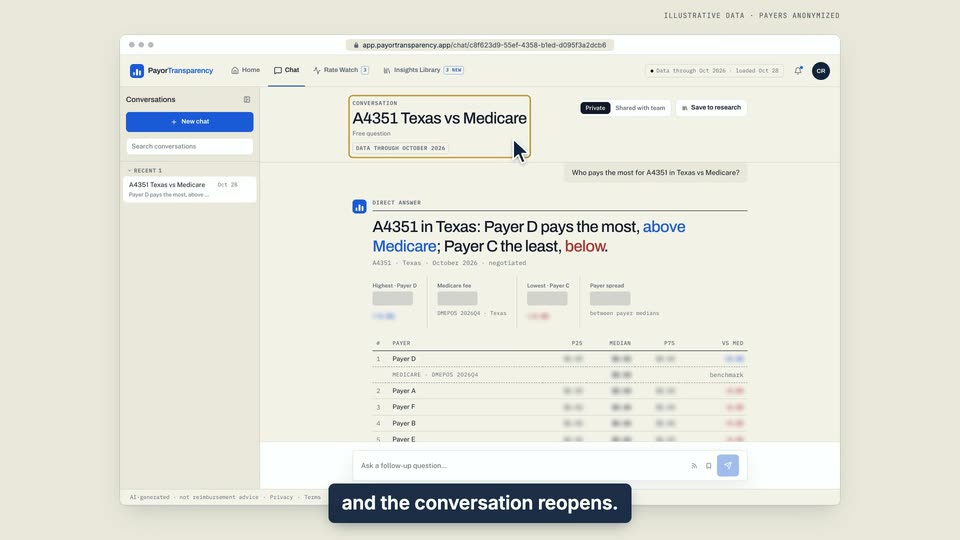
03 Click the match, and the conversation reopens.
- Use case
- How do I find, rename or remove a conversation?
- Feature
- Conversations rail
- Task
- Find an earlier conversation
Video 2 of 2 · 10 sec
Rename a conversation
Captions are in the video. The steps and the full narration are below.
Step by step
Before you start. Open Chat. Your conversations are listed on the left under Conversations.
- Point at the conversation in the list and click the three-dot button at the right of its row.
- Choose Rename.
- Select the old title (Cmd+A on a Mac, Ctrl+A on Windows), type the new one, for example "Texas renewal prep", and press Enter.
What you see. The new title shows in the list and at the top of the conversation.
Tip. Press Esc to cancel. The same menu has Pin, Archive and Remove.
Read the narration
In Conversations, point at a chat and open its menu. Choose Rename, replace the title and press Enter.
Screens from this video
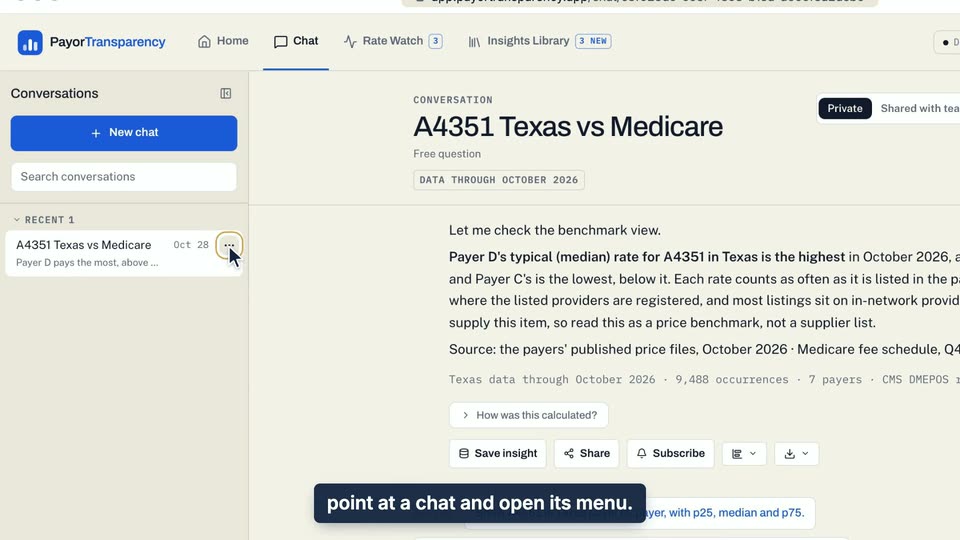
01 In Conversations, point at a chat and open its menu. 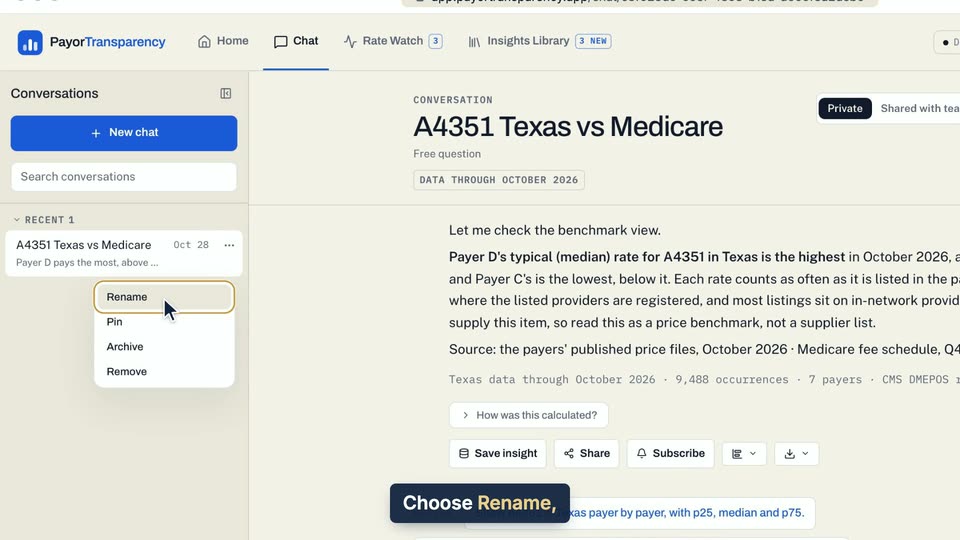
02 Choose Rename, replace the title and press Enter. 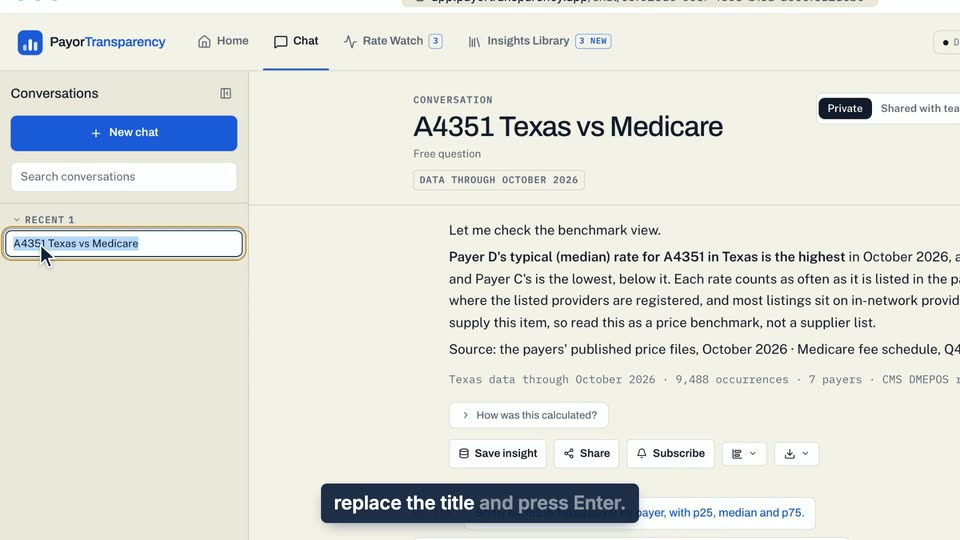
03 Choose Rename, replace the title and press Enter.
- Use case
- How do I find, rename or remove a conversation?
- Feature
- Conversations rail
- Task
- Rename a conversation