How do I find and organize what I saved?
Open the Insights Library and click Saved. Briefs and saved conversations sit in one list you can filter, pin and file into collections.
2 videos · 17 sec in all
Video 1 of 2 · 9 sec
Open your saved items
Captions are in the video. The steps and the full narration are below.
Step by step
Before you start. Click Insights Library in the top bar. It opens on the Catalog tab.
- Click Saved in the row of tabs under the page title.
- Items you pinned sit under Pinned at the top.
- Everything else follows under All saved, newest first.
What you see. Your briefs and saved conversations share one table, and the Type column marks each one Brief or Conversation.
Tip. Click Briefs or Conversations on the left to see one kind, or use Search saved and Date to narrow the list.
Read the narration
In the Insights Library, click Saved. Pinned items come first, then everything else, newest first.
Screens from this video
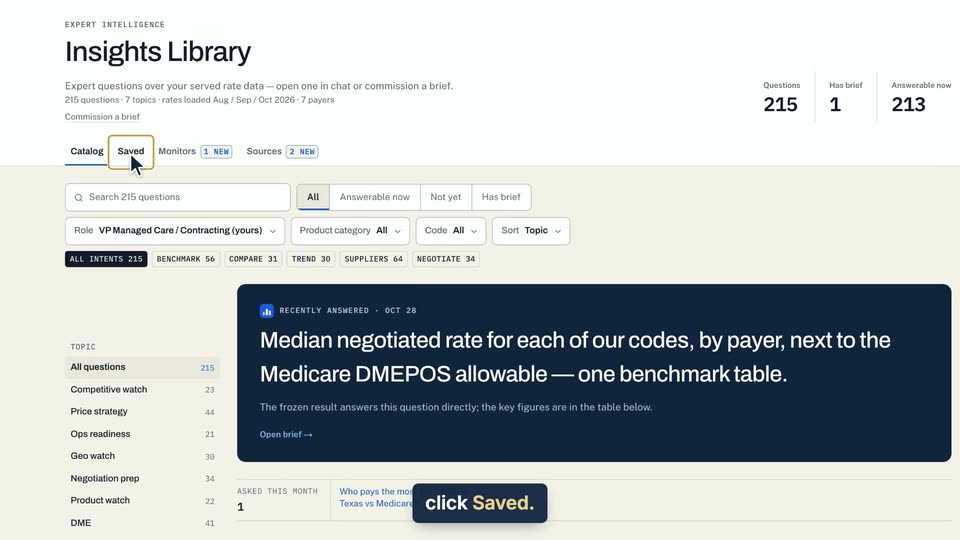
01 In the Insights Library, click Saved. 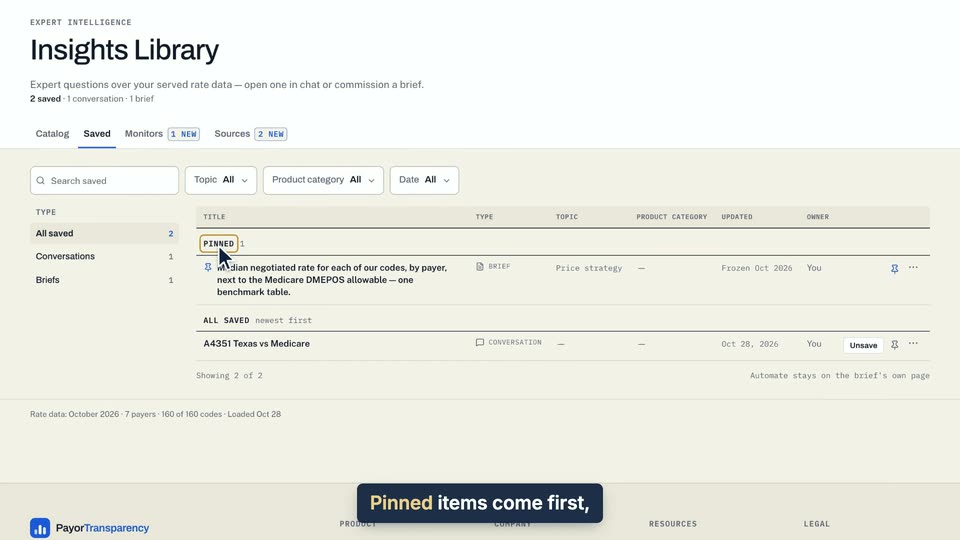
02 Pinned items come first, then everything else, newest first. 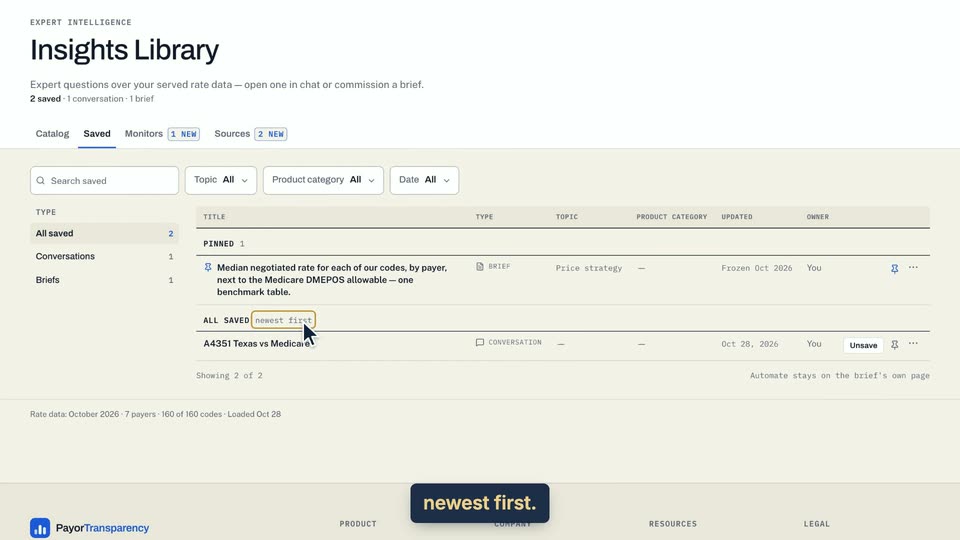
03 Pinned items come first, then everything else, newest first.
- Use case
- How do I find and organize what I saved?
- Task
- Open your saved items
Video 2 of 2 · 8 sec
Add an item to a collection
Captions are in the video. The steps and the full narration are below.
Step by step
Before you start. You need at least one brief or saved conversation on the Saved tab of the Insights Library.
- In the Insights Library, click Saved.
- Click ⋯ at the right end of the row you want to file.
- Type a name in the New collection box, for example Texas renewals.
- Click Add.
What you see. The menu shows the collection with a check mark, and the left rail lists it under Collections with its item count.
Tip. To file another item, open its ⋯ and click the collection's name. Click a checked name to take the item out, and a collection disappears when you empty it.
Read the narration
On Saved, open a row's menu, name a New collection, and click Add. It appears under Collections.
Screens from this video
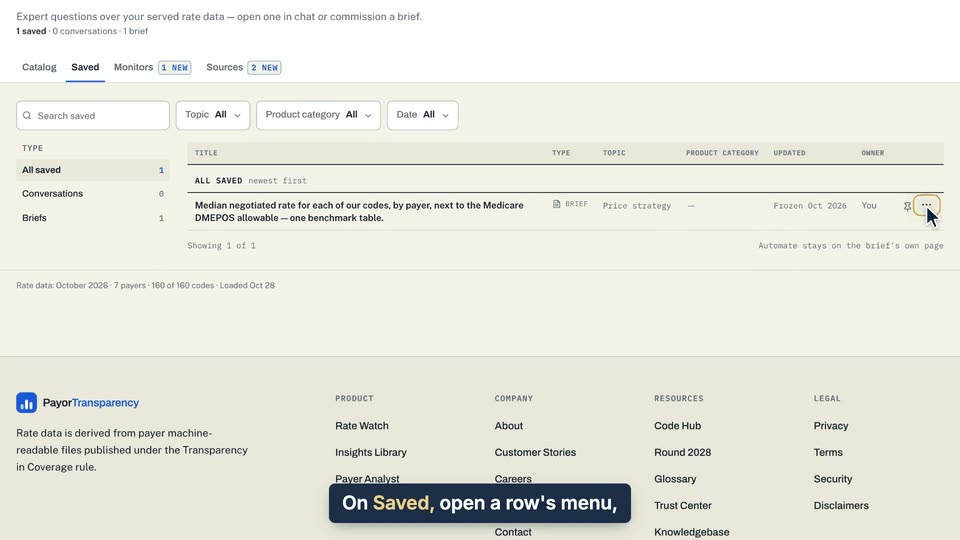
01 On Saved, open a row's menu, name a New collection, and click Add. 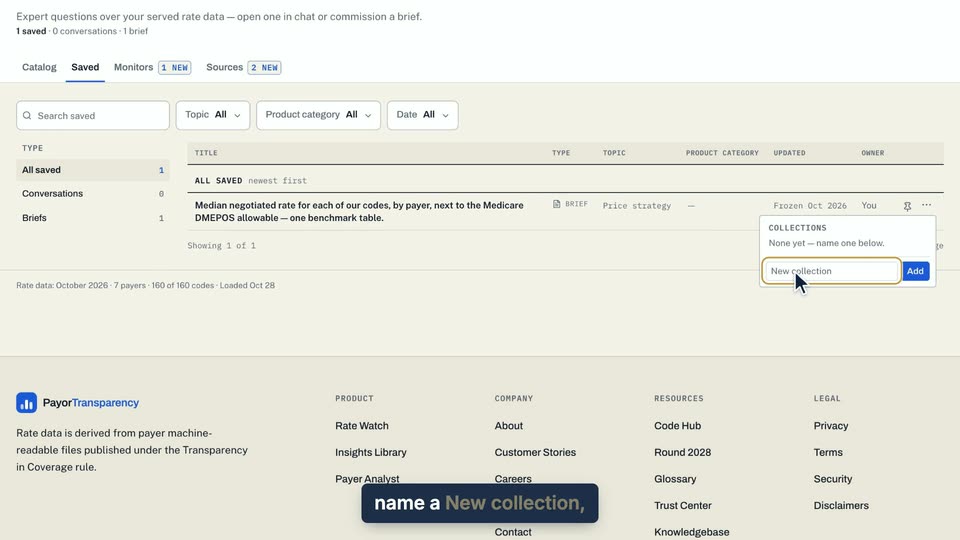
02 On Saved, open a row's menu, name a New collection, and click Add. 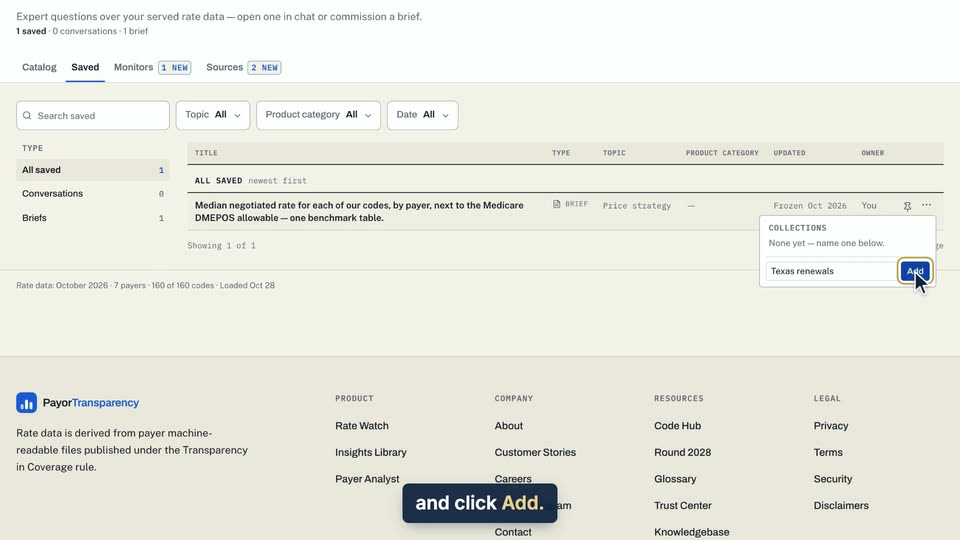
03 On Saved, open a row's menu, name a New collection, and click Add. 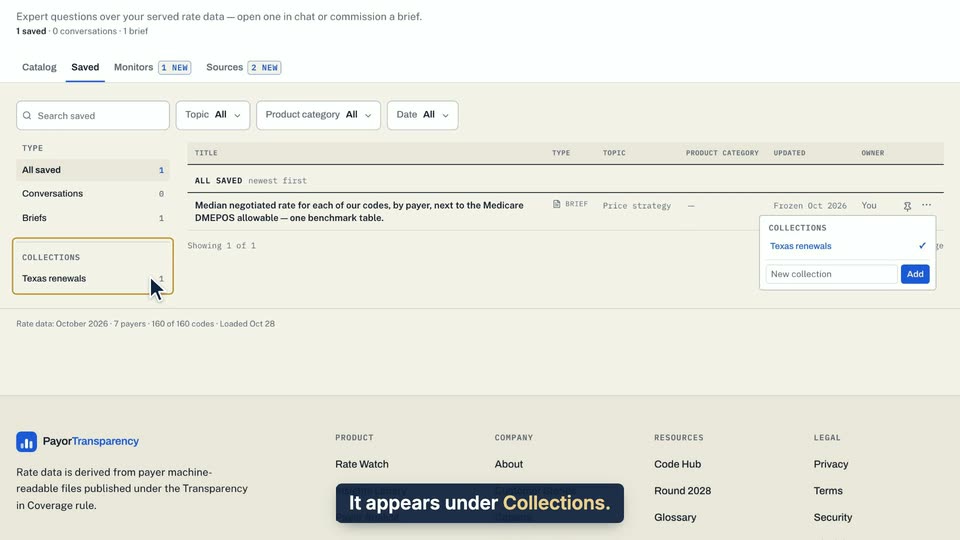
04 It appears under Collections.
- Use case
- How do I find and organize what I saved?
- Task
- Add an item to a collection