How do I get a brief written for me?
Flagship questions in the Catalog have Generate brief, which runs the query and writes the brief for you. For any other question, ask it in Chat and click Save insight.
1 video · 8 sec in all
Video 1 of 1 · 8 sec
Generate a brief
Captions are in the video. The steps and the full narration are below.
Step by step
Before you start. Start on the Catalog tab of the Insights Library, where only flagship questions without a brief show Generate brief.
- Click Insights Library in the top bar. The Catalog tab opens.
- Find a question tagged flagship. If you don't see one, set Role to All roles.
- Click Generate brief beside the flagship tag.
- Wait a moment while the row reads Running the query… and then Writing the narrative….
- When the row shows Has brief, click View brief to open the brief.
What you see. The row now shows Has brief and a View brief link, and the brief also appears on the Saved tab.
Tip. For any other question, ask it in Chat and click Save insight under the answer.
Read the narration
On a flagship question, click Generate brief. When the row shows Has brief, View brief opens it.
Screens from this video
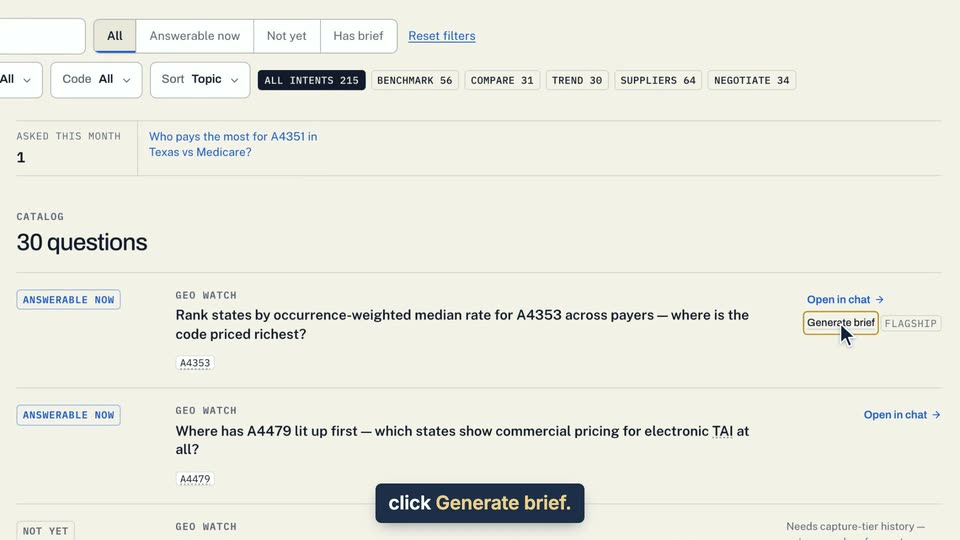
01 On a flagship question, click Generate brief. 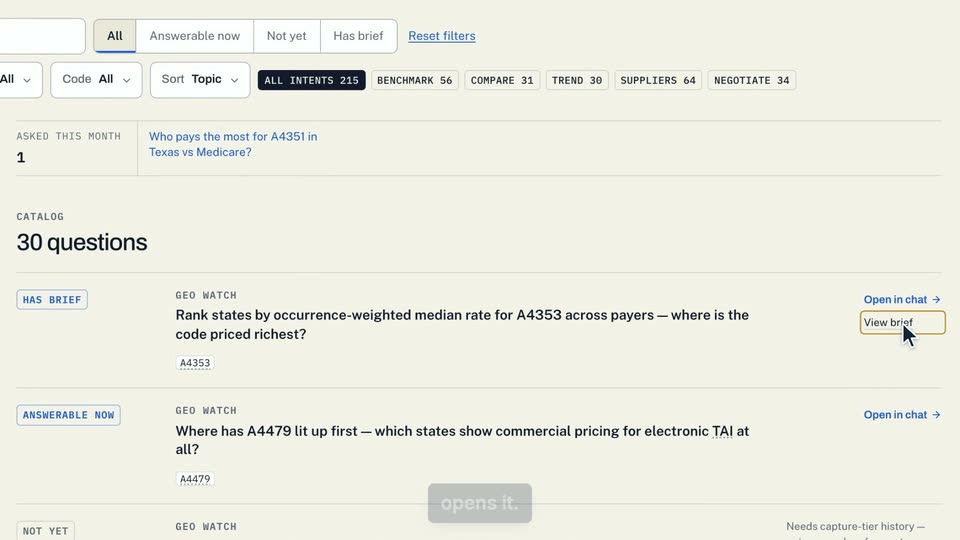
02 When the row shows Has brief, View brief opens it.
- Use case
- How do I get a brief written for me?
- Task
- Generate a brief