How do I see who is on my team?
Open the account menu and click Team. You see every member with their role and any pending invitations.
1 video · 8 sec in all
Video 1 of 1 · 8 sec
Open the Team page
Captions are in the video. The steps and the full narration are below.
Step by step
Before you start. You can open Team from any page in the app.
- Click your initials at the top right of the page. The account menu opens.
- Click Team.
- Under MEMBERS, each person's pill reads OWNER or MEMBER.
- Under INVITATIONS, an invitation that is still open reads PENDING. Accepted ones read ACCEPTED.
What you see. The line beside the organization name shows how many members there are and whether you are the owner.
Tip. Members see the same lists without the invite or remove buttons. To add or remove someone, ask the person marked OWNER.
Read the narration
Click your initials at the top right, then click Team. You see each member's role and pending invitations.
Screens from this video

01 Click your initials at the top right, then click Team. 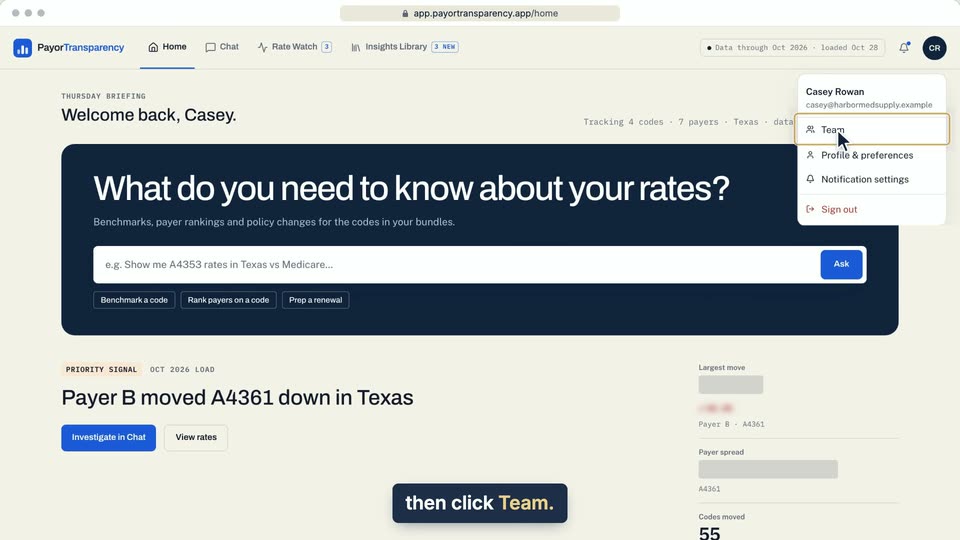
02 Click your initials at the top right, then click Team. 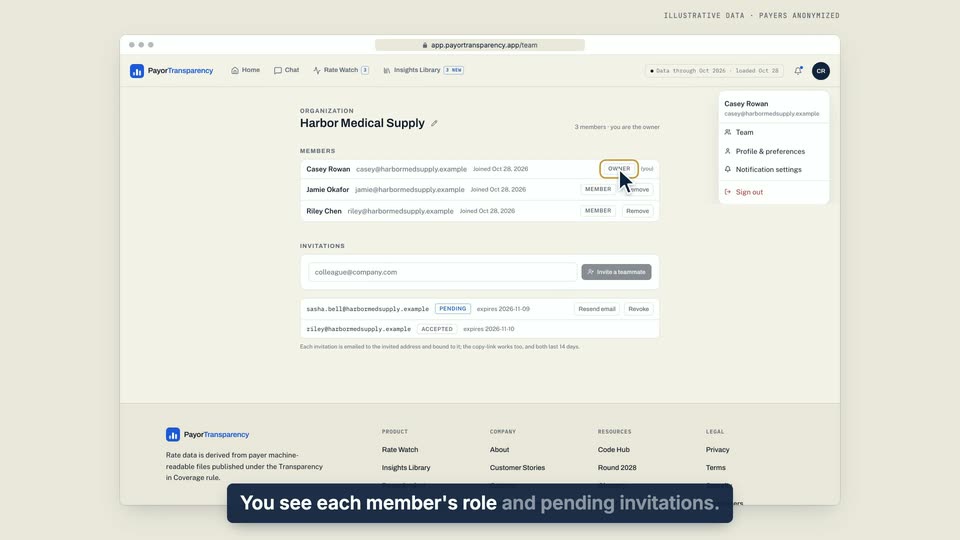
03 You see each member's role and pending invitations. 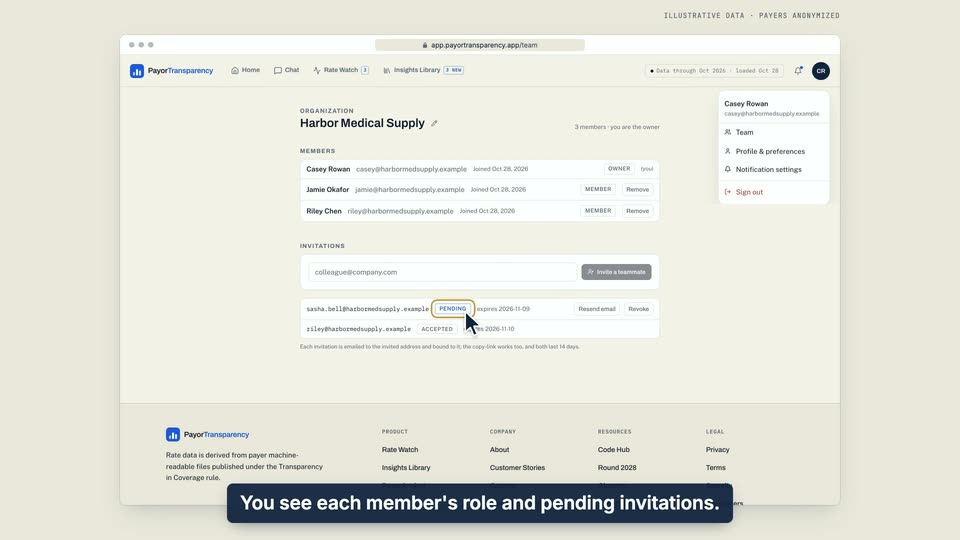
04 You see each member's role and pending invitations.
- Use case
- How do I see who is on my team?
- Feature
- Team page
- Task
- Open the Team page