How do I invite a teammate?
Owners invite from the Team page. Type a teammate's work email and click Invite a teammate. The link works for 14 days, and you can copy it to send yourself.
2 videos · 16 sec in all
Video 1 of 2 · 8 sec
Invite a teammate
Captions are in the video. The steps and the full narration are below.
Step by step
Before you start. Only the workspace owner sees the invite box.
- Click your initials at the top right, then click Team.
- Under INVITATIONS, type your teammate's email in the box that reads colleague@company.com.
- Click Invite a teammate.
What you see. A panel shows the invitation link for that address, and the address joins the list as PENDING. We also email the link to your teammate.
Tip. Click Copy link right after inviting to send the link yourself. It is shown only once.
Read the narration
On the Team page, type your teammate's email, then click Invite a teammate. We email them the link.
Screens from this video
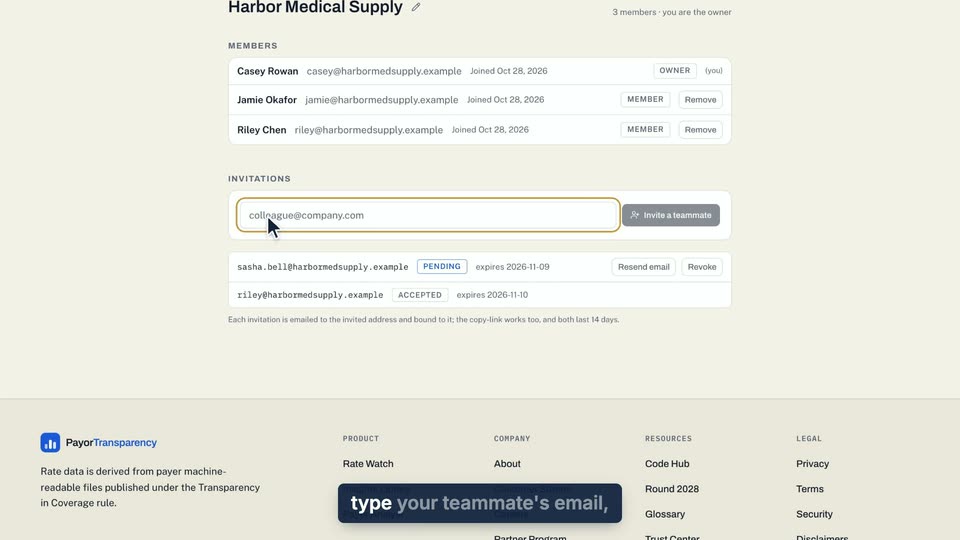
01 On the Team page, type your teammate's email, then click Invite a teammate. 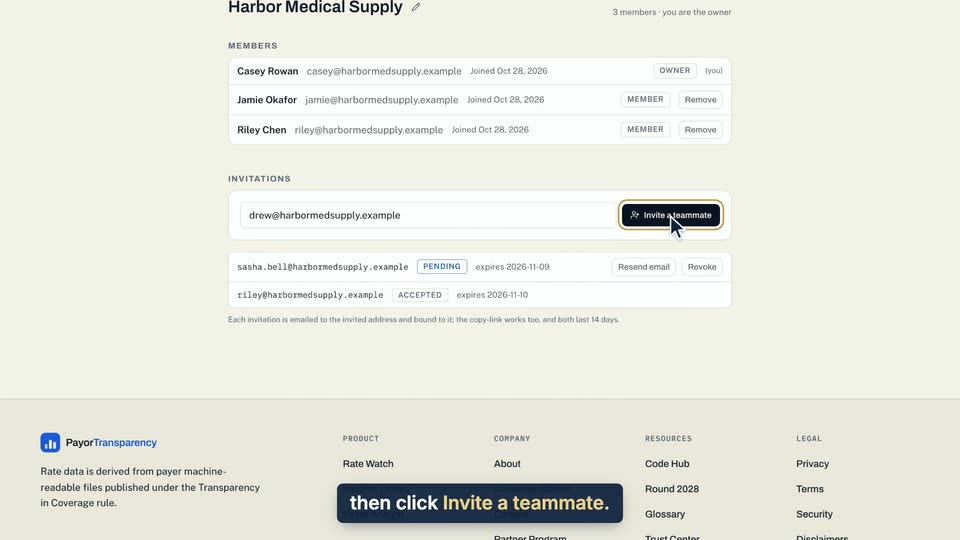
02 On the Team page, type your teammate's email, then click Invite a teammate. 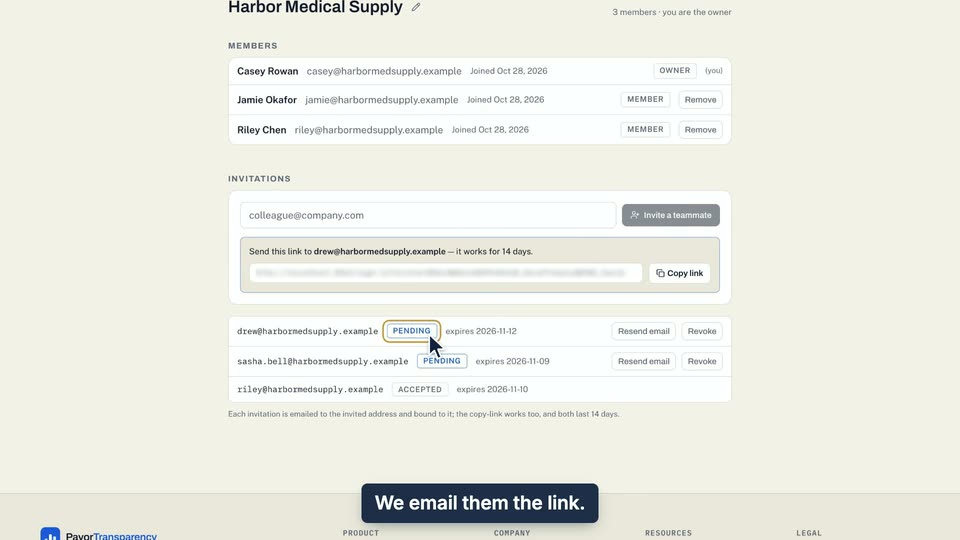
03 We email them the link.
- Use case
- How do I invite a teammate?
- Task
- Invite a teammate
Video 2 of 2 · 8 sec
Revoke a pending invitation
Captions are in the video. The steps and the full narration are below.
Step by step
Before you start. Only an owner can revoke an invitation. Invitations are listed under INVITATIONS on the Team page.
- Click your initials at the top right, then click Team.
- Under INVITATIONS, find the invitation marked PENDING.
- Click Revoke on that row. It takes effect at once, with no confirm step.
What you see. The invitation reads REVOKED and its buttons are gone. Its link no longer works.
Tip. To undo it, invite the same address again to send a fresh link.
Read the narration
On the Team page, click Revoke on the PENDING invitation. It reads REVOKED, and its link stops working.
Screens from this video
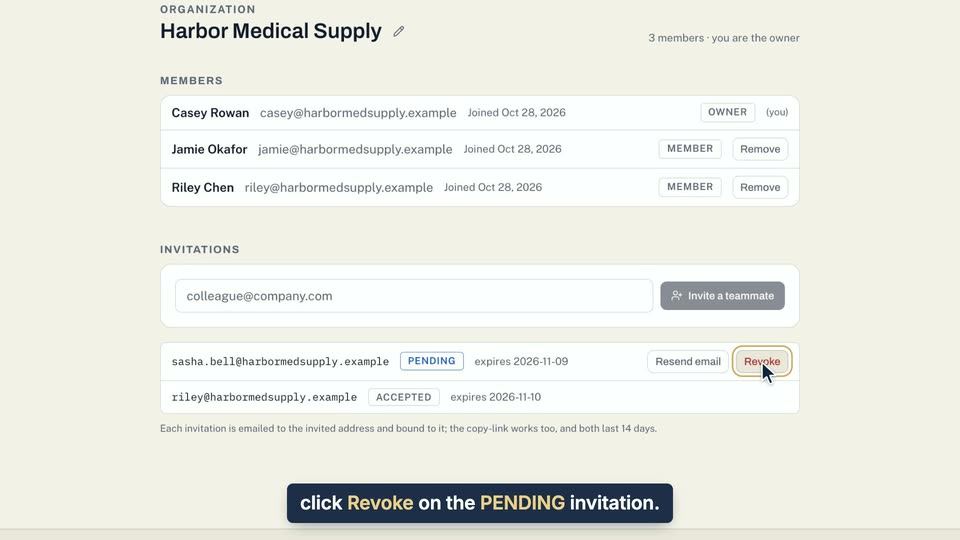
01 On the Team page, click Revoke on the PENDING invitation. 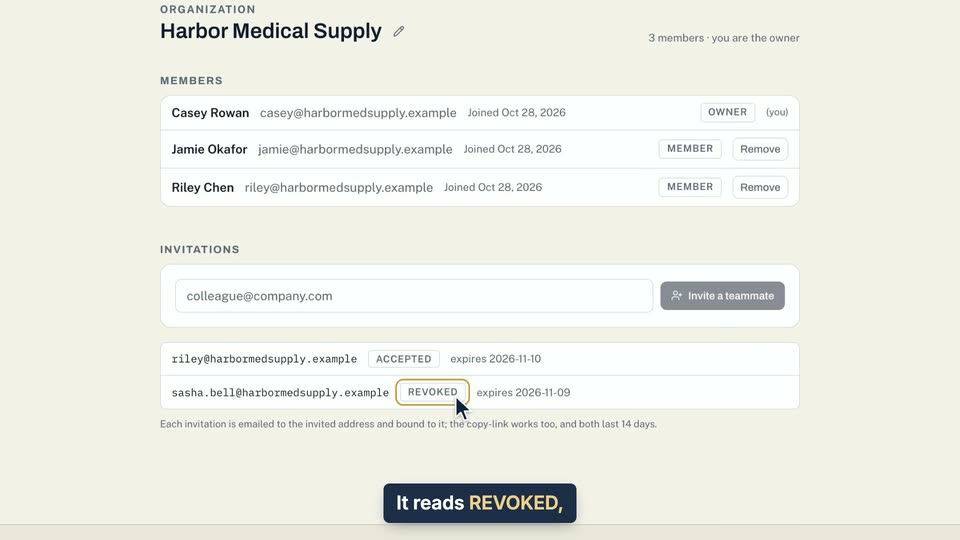
02 It reads REVOKED, and its link stops working.
- Use case
- How do I invite a teammate?
- Task
- Revoke a pending invitation