How do I find the knowledgebase?
On payortransparency.com open Resources and click Knowledgebase. Inside the app it is in the footer under Resources.
2 videos · 16 sec in all
Video 1 of 2 · 7 sec
Open the knowledgebase
Captions are in the video. The steps and the full narration are below.
Step by step
Before you start. The knowledgebase is on payortransparency.com and needs no sign-in.
- On payortransparency.com, open Resources in the top bar.
- Click Knowledgebase.
- Type a few words into the search box, such as alert threshold, or pick a question under Most asked or a topic.
What you see. Each question opens a guide with its short videos, the written steps and the full narration.
Tip. On a phone, tap the menu button first, then Resources.
Read the narration
Open Resources in the top bar and click Knowledgebase. Search it, or start from a question.
Screens from this video
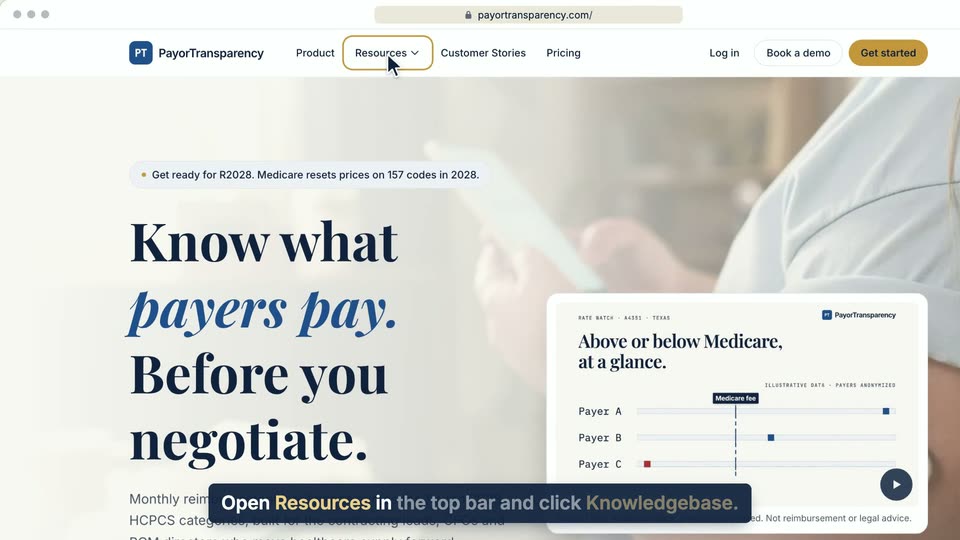
01 Open Resources in the top bar and click Knowledgebase. 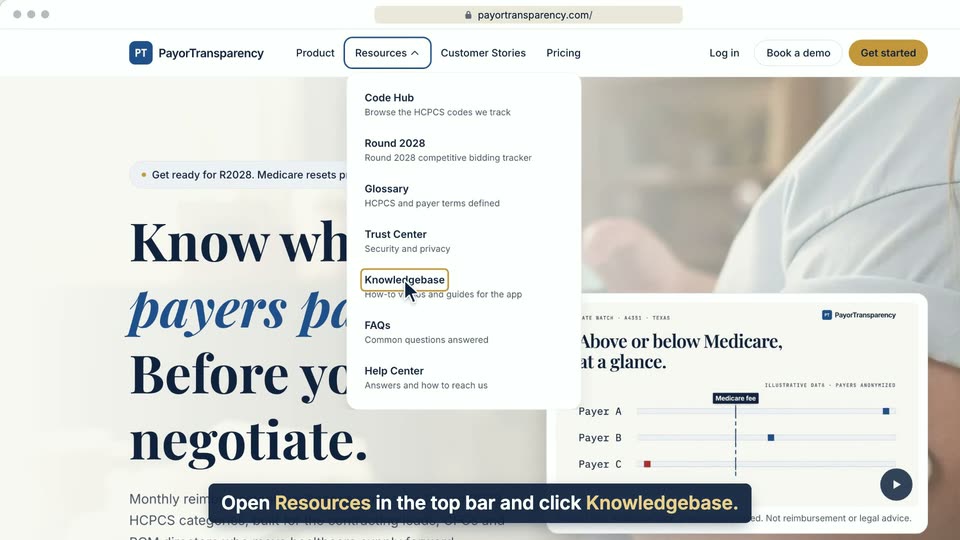
02 Open Resources in the top bar and click Knowledgebase. 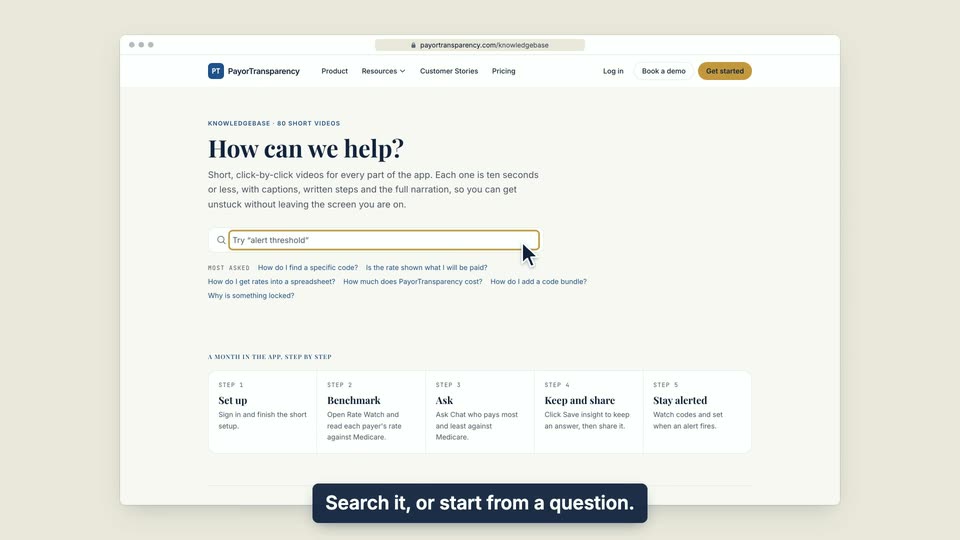
03 Search it, or start from a question.
- Use case
- How do I find the knowledgebase?
- Task
- Open the knowledgebase
Video 2 of 2 · 9 sec
Open the knowledgebase from the app
Captions are in the video. The steps and the full narration are below.
Step by step
Before you start. The full footer sits at the bottom of the main app pages, such as Home, Rate Watch and Insights Library. Chat has a one-line footer instead.
- On any app page except Chat, such as Home, scroll to the bottom of the page.
- In the footer, find the RESOURCES column.
- Click Knowledgebase.
What you see. The knowledgebase opens on payortransparency.com in the same tab.
Tip. The same RESOURCES column also links to the Glossary and FAQs.
Read the narration
Scroll to the footer of any page except Chat. Under RESOURCES, click Knowledgebase. It opens in this tab.
Screens from this video
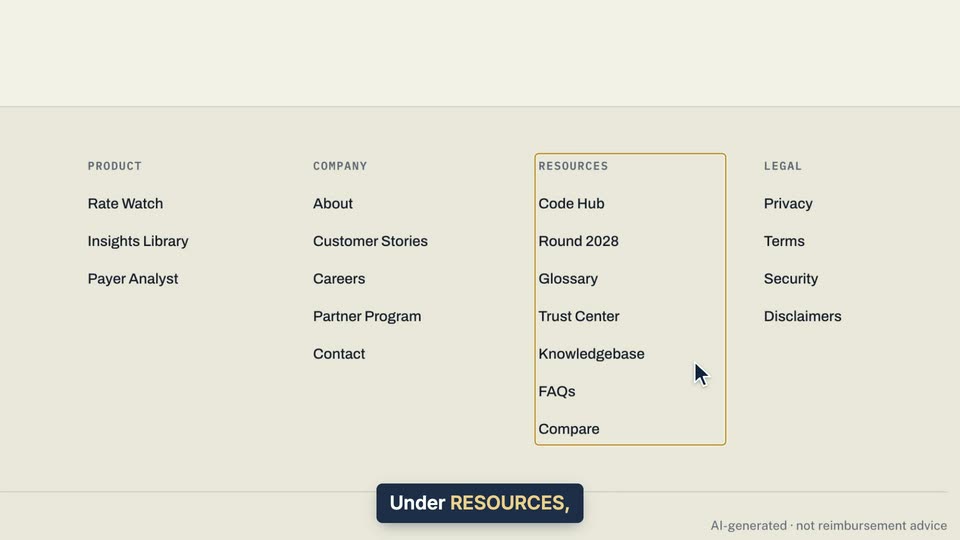
01 Under RESOURCES, click Knowledgebase. 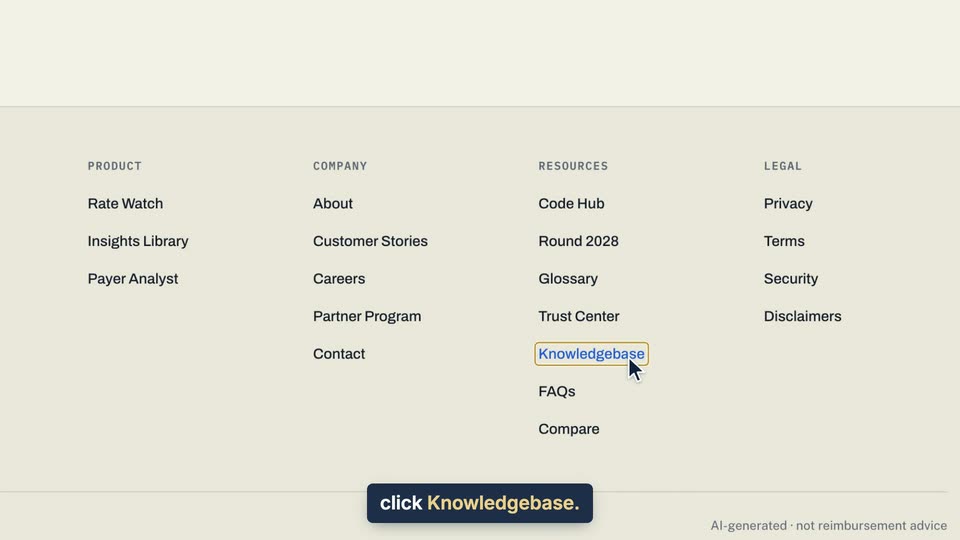
02 Under RESOURCES, click Knowledgebase.
- Use case
- How do I find the knowledgebase?
- Feature
- App footer
- Task
- Open the knowledgebase from the app