How do I change the state, payer or month on a code page?
Use the State, Payer and Month menus above the Benchmark block. Picking a payer shows that payer's median and middle range.
2 videos · 16 sec in all
Video 1 of 2 · 9 sec
Change the state on a code page
Captions are in the video. The steps and the full narration are below.
Step by step
Before you start. A code page opens on your profile state, and a note beside the State menu says it is the default.
- On Rate Watch, click a code, such as A4351, to open its page.
- Click the State menu above the Benchmark.
- Scroll to the top of the list and pick National, or pick any state.
What you see. The State menu reads National, and the Benchmark and payer table show the national picture.
Tip. The number beside each state is how many payers filed the code there.
Read the narration
On a code page, open the State menu, scroll up, and pick National. The Benchmark now shows National.
Screens from this video
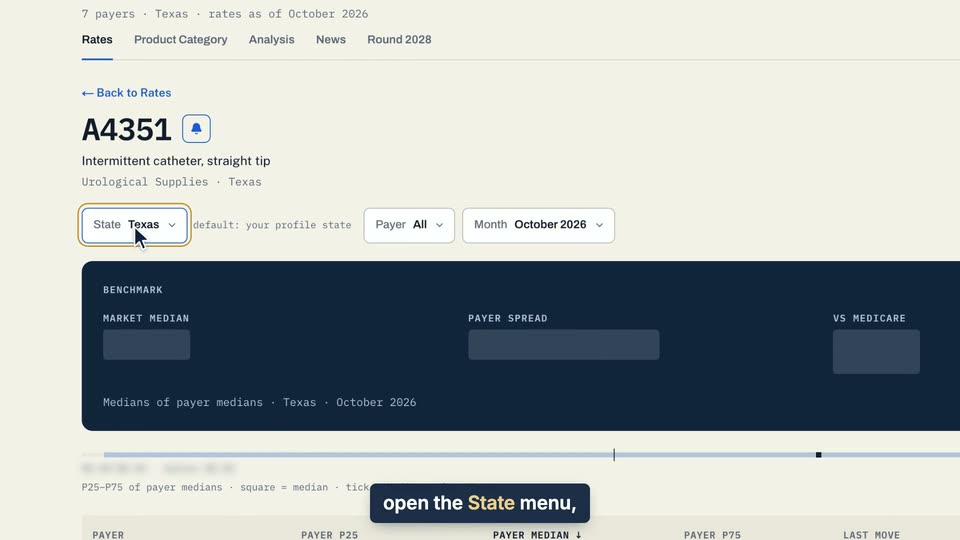
01 On a code page, open the State menu, scroll up, and pick National. 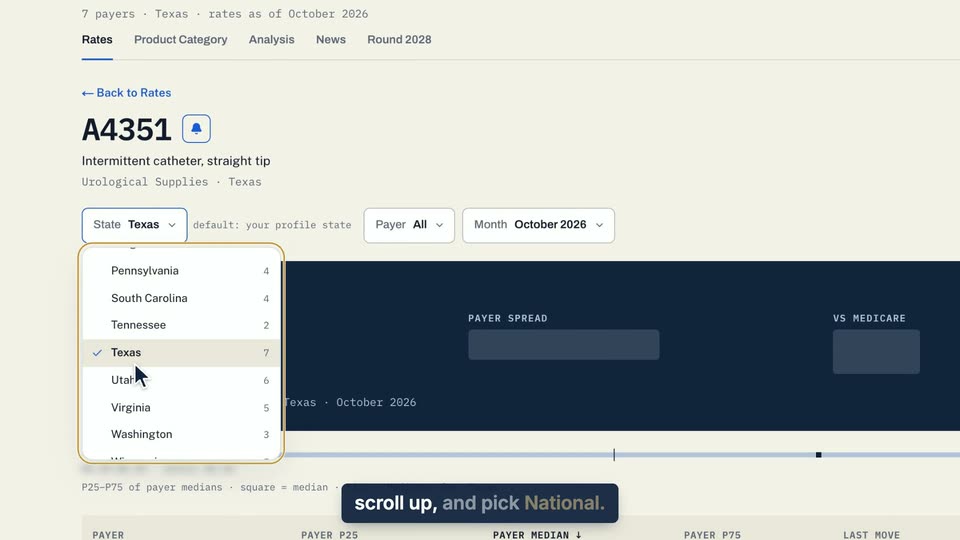
02 On a code page, open the State menu, scroll up, and pick National. 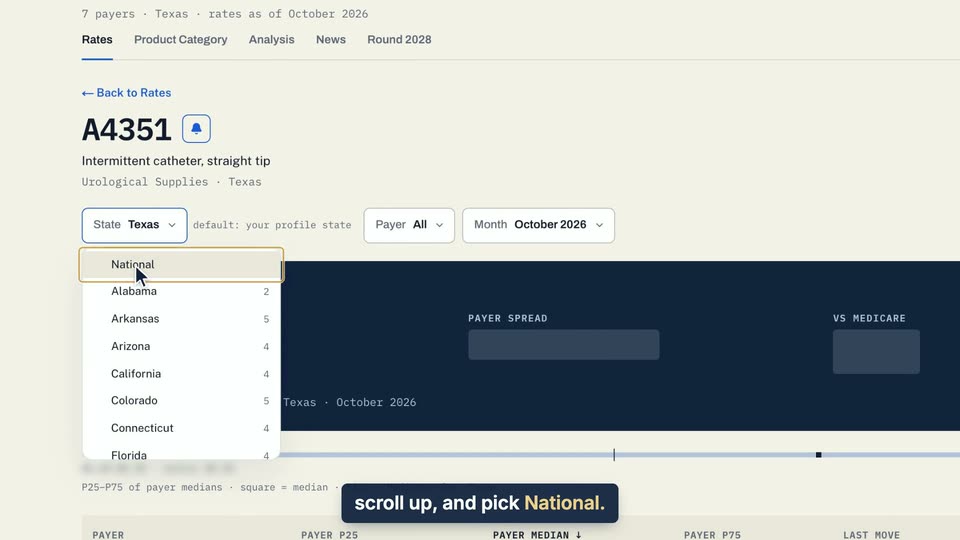
03 On a code page, open the State menu, scroll up, and pick National. 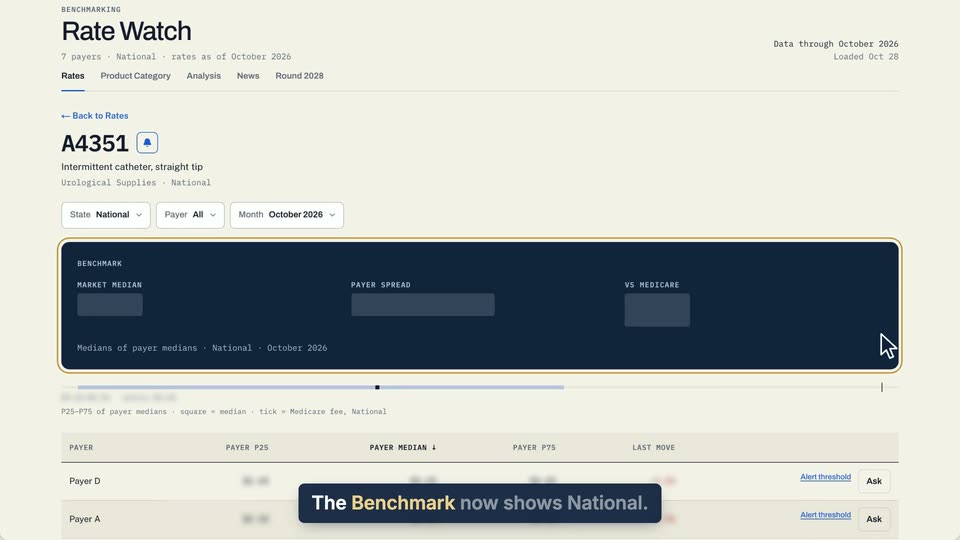
04 The Benchmark now shows National.
- Use case
- How do I change the state, payer or month on a code page?
- Task
- Change the state on a code page
Video 2 of 2 · 8 sec
See one payer's benchmark
Captions are in the video. The steps and the full narration are below.
Step by step
Before you start. A code page opens on the market view, with the Payer menu set to All.
- Open a code page, for example by clicking a code on the Rates tab of Rate Watch.
- Click the Payer menu above the Benchmark block.
- Pick a payer from the list.
What you see. The Payer menu shows your pick, and the Benchmark block shows that payer's median, its P25 to P75 range and how it compares with Medicare.
Tip. Pick the top option in the Payer menu to see the market median again.
Read the narration
On a code page, open the Payer menu and pick a payer. The Benchmark shows that payer's median.
Screens from this video
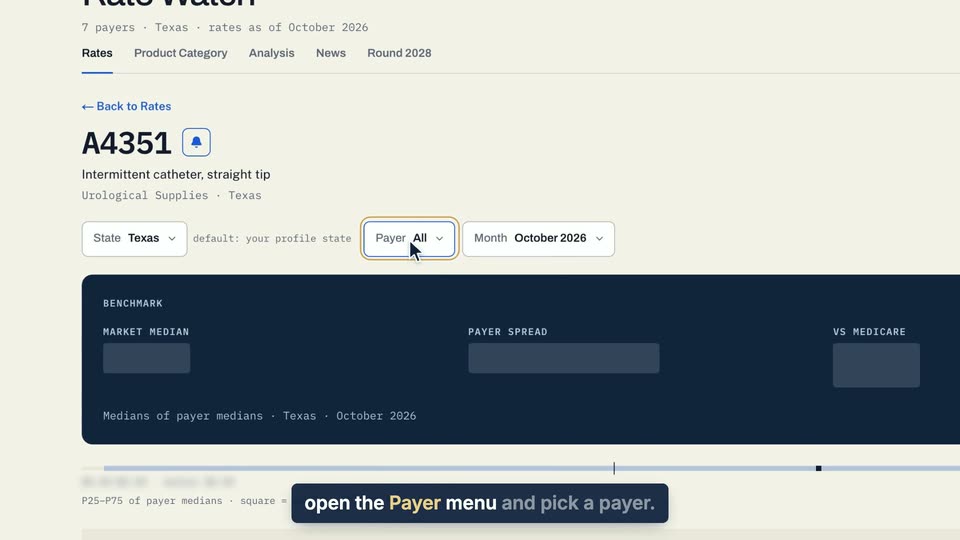
01 On a code page, open the Payer menu and pick a payer. 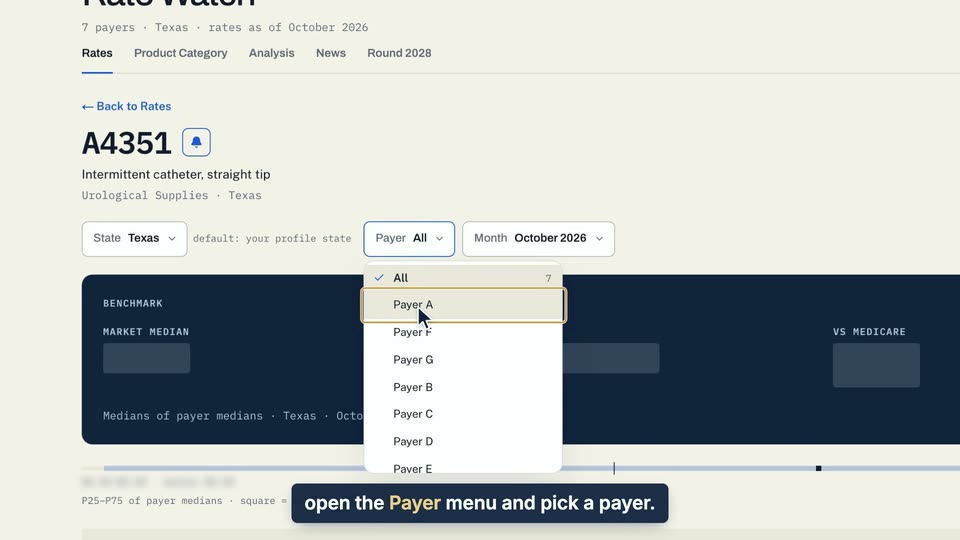
02 On a code page, open the Payer menu and pick a payer. 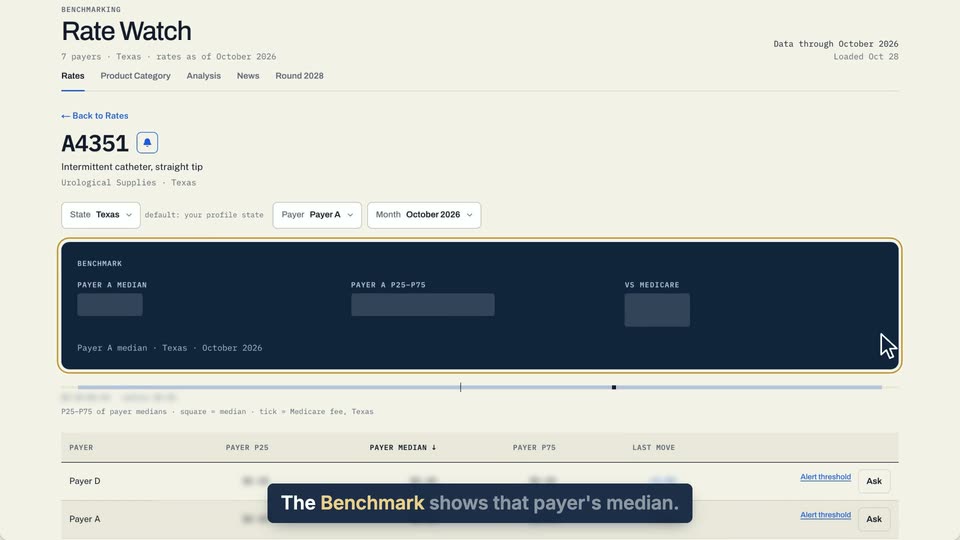
03 The Benchmark shows that payer's median.
- Use case
- How do I change the state, payer or month on a code page?
- Task
- See one payer's benchmark