How do I see my plan and code bundles?
Open Profile & preferences and click Code bundles. It shows your base platform subscription and every bundle, marked Active, Locked or covered by All access.
2 videos · 17 sec in all
Video 1 of 2 · 10 sec
See your plan and bundles
Captions are in the video. The steps and the full narration are below.
Step by step
Before you start. Your plan and bundles live in Profile & preferences, which opens from the account menu (your initials, top right).
- Click your initials at the top right, then click Profile & preferences.
- Click Code bundles in the list on the left.
- Read Base platform subscription at the top. It shows whether your plan is Active, its billing term and when it renews.
- Under Code bundles, each bundle reads Active if your workspace has it or Locked if it doesn't. A locked bundle shows an Add button. All access reads Sales-led and shows Book a demo.
What you see. You see your base plan on top, then each bundle with its codes, marked Active or Locked.
Tip. Members see the same list, but only an owner can add or remove a bundle.
Read the narration
On your profile, click Code bundles. Your Base platform subscription comes first. Each bundle reads Active or Locked.
Screens from this video
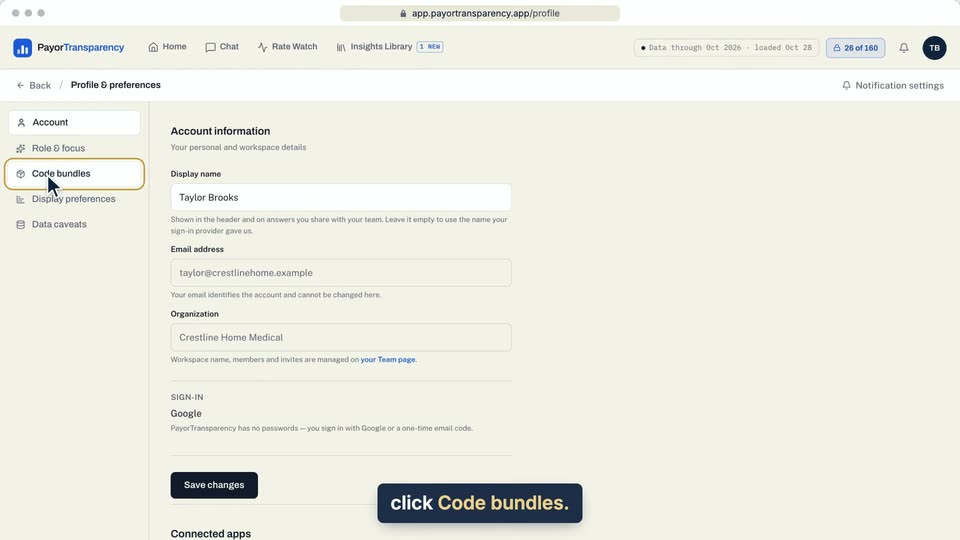
01 On your profile, click Code bundles. 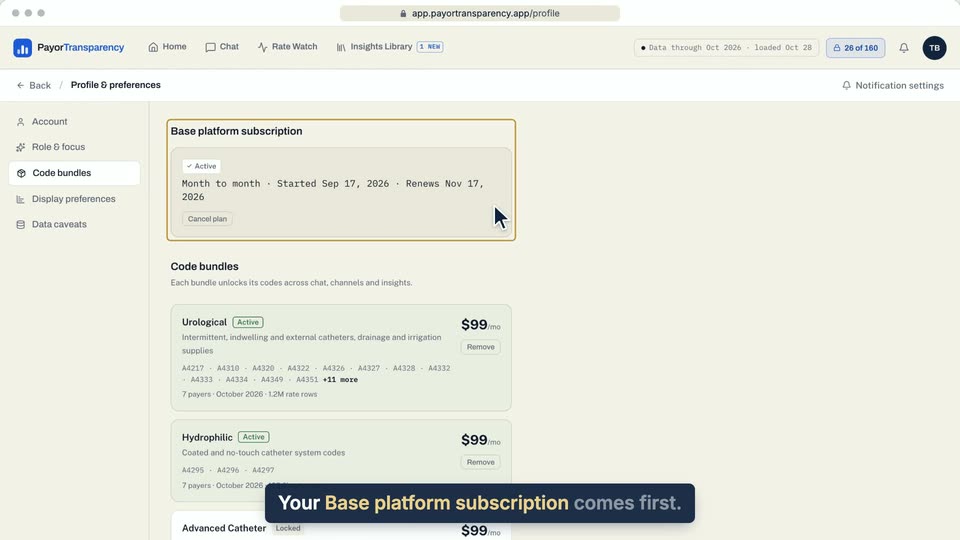
02 Your Base platform subscription comes first. 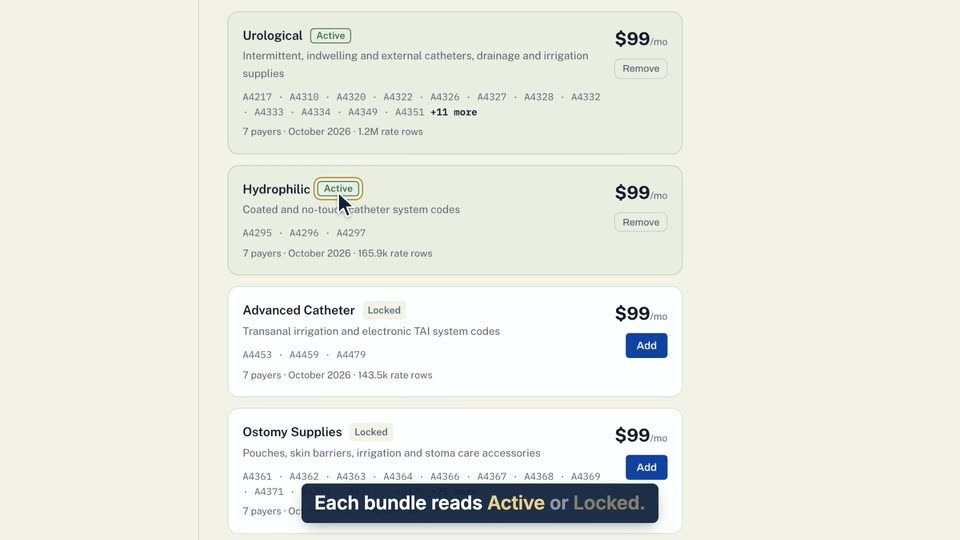
03 Each bundle reads Active or Locked. 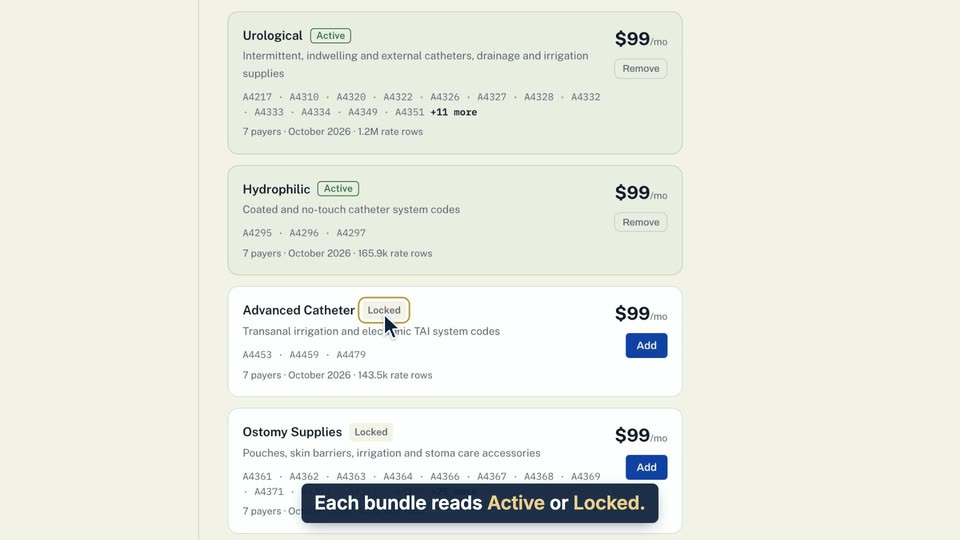
04 Each bundle reads Active or Locked.
- Use case
- How do I see my plan and code bundles?
- Feature
- Code bundle cards
- Task
- See your plan and bundles
Video 2 of 2 · 8 sec
See how many codes you unlocked
Captions are in the video. The steps and the full narration are below.
Step by step
Before you start. The pill sits in the top bar on every app page.
- Find the lock pill in the top bar, left of the bell. It reads how many codes your bundles unlock, out of the total.
- Click the pill to open Bundles.
What you see. Bundles opens on the right with your Base platform line and each bundle you hold marked Active.
Tip. The pill disappears once you hold every code.
Read the narration
The top bar's lock pill counts unlocked codes. Click it to open Bundles, where yours show Active.
Screens from this video
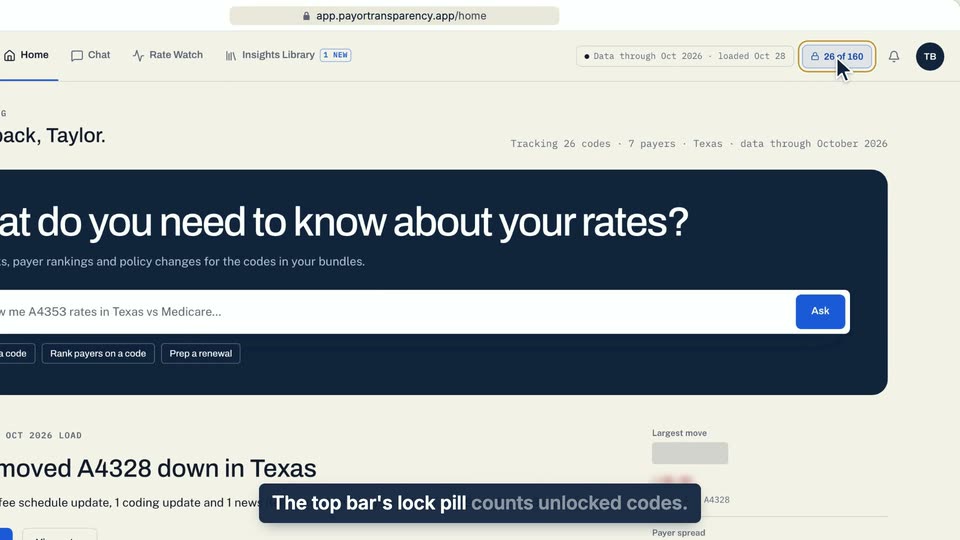
01 The top bar's lock pill counts unlocked codes. 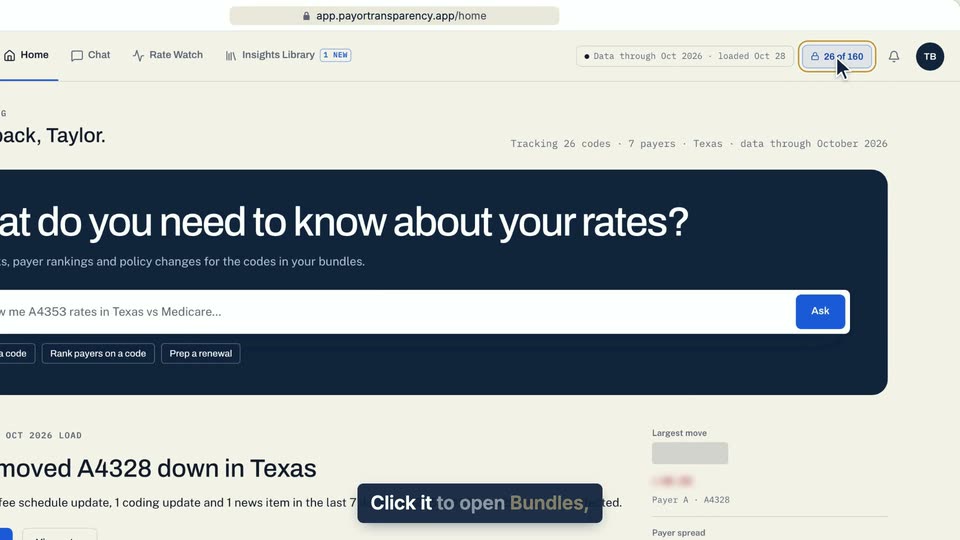
02 Click it to open Bundles, where yours show Active. 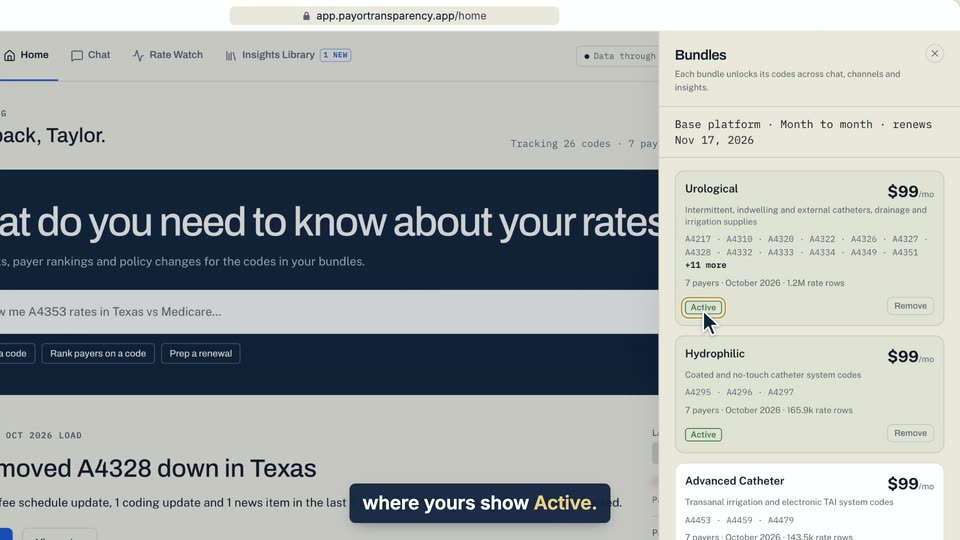
03 Click it to open Bundles, where yours show Active.
- Use case
- How do I see my plan and code bundles?
- Feature
- Codes unlocked count
- Task
- See how many codes you unlocked