Why won't Chat give me a rate for some codes?
The code is outside your workspace's bundles. Chat shows which payers publish it but no figures, and an owner can add the bundle that unlocks it.
1 video · 8 sec in all · 1 written guide
Video 1 of 1 · 8 sec
See codes outside your bundles
Captions are in the video. The steps and the full narration are below.
Step by step
Before you start. Chat shows figures only for codes in your workspace's bundles. The start page lists the other bundles so you can see what is missing.
- Click Chat in the top bar to open the start page.
- Scroll down to Not in your bundles. Each bundle there shows its name and code count, with no values shown until added.
- Click a bundle, such as Ostomy Supplies. The Bundles panel opens at that bundle.
What you see. The Bundles panel outlines that bundle and lists its codes and monthly price.
Tip. If you are a member, the Bundles panel shows that a workspace owner can add bundles, with a see Team link.
Read the narration
Chat won't price locked codes. They sit under Not in your bundles. Click a bundle for its codes.
Screens from this video
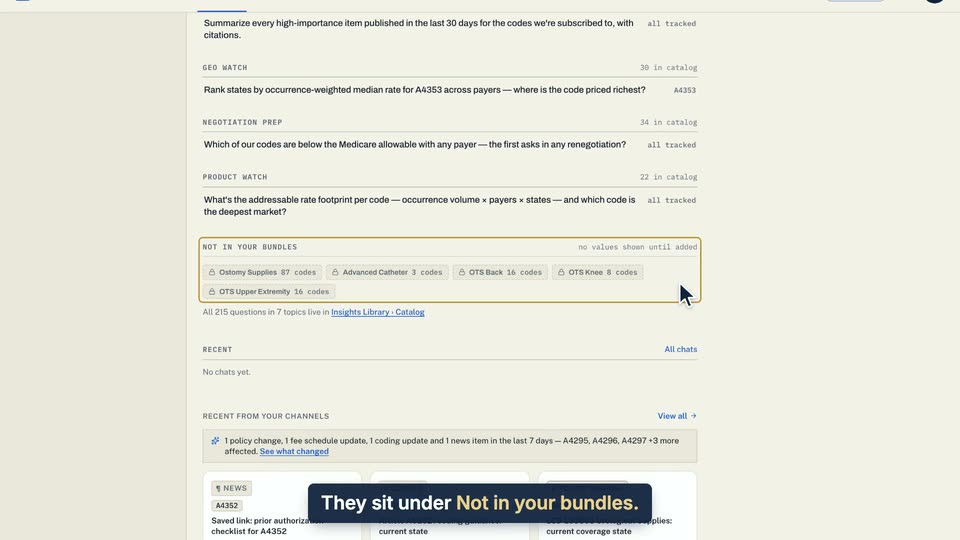
01 They sit under Not in your bundles. 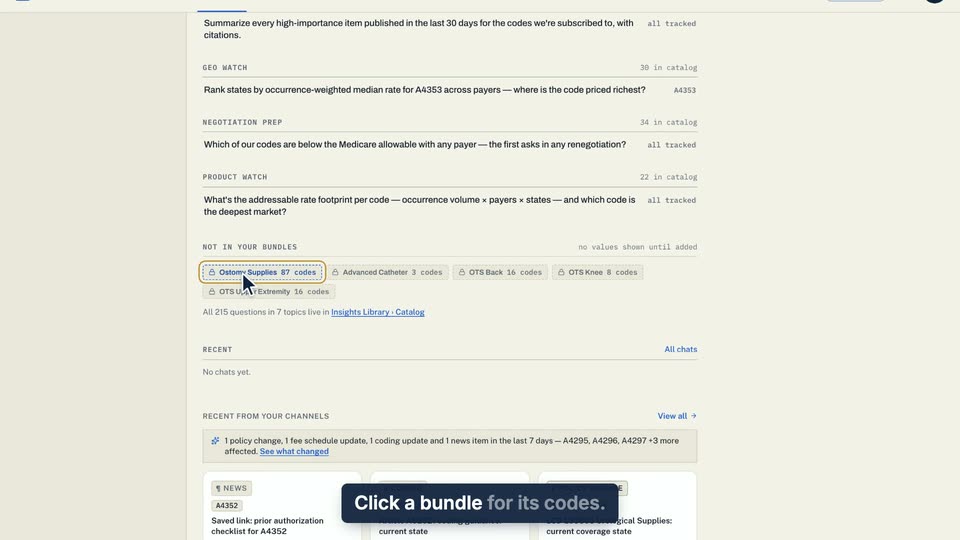
02 Click a bundle for its codes. 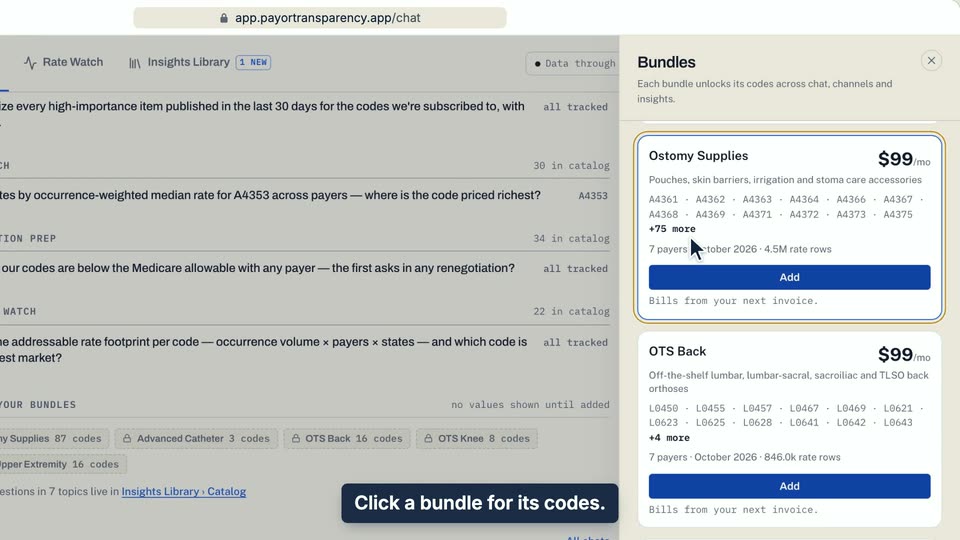
03 Click a bundle for its codes.
- Use case
- Why won't Chat give me a rate for some codes?
- Task
- See codes outside your bundles
Written guide
Unlock a code Chat won't price
Step by step
Before you start. Chat quotes rates only for codes in your workspace's bundles. For a code outside them, the answer shows no rate figures.
- Ask about the code in Chat as usual.
- Under the answer, the Not in this workspace card names the bundle that holds the code.
- PAYERS PUBLISHING RATES FOR THIS CODE lists up to five payers with no figures. The bar lengths are decorative.
- If you are a workspace owner, click Add bundle. Bundles opens at that bundle, where you click Add. On an annual plan, confirm with Yes, add. The line under the button says how the add is billed.
- If the row shows Continue to checkout instead, the checkout page opens to finish. If your plan is set to end, the row asks you to keep the plan first and shows no Add.
- If you are a member, the button reads A workspace owner can add bundles. It opens Bundles, where see Team opens the Team page with your workspace owners.
- Once the bundle shows Active in Bundles, ask the question again.
What you see. Chat now answers the code with figures, like any other code in your bundles.
Tip. The Chat start page lists these codes under NOT IN YOUR BUNDLES, with no values shown until added.
- Use case
- Why won't Chat give me a rate for some codes?
- Feature
- Locked answers and Not in your bundles
- Task
- Unlock a code Chat won't price