How do I rename the workspace?
On the Team page an owner clicks the pencil next to the workspace name, types the new name and saves.
1 video · 8 sec in all
Video 1 of 1 · 8 sec
Rename your workspace
Captions are in the video. The steps and the full narration are below.
Step by step
Before you start. Only the workspace owner can rename it.
- Click your initials at the top right, then click Team.
- Under ORGANIZATION, click the pencil next to the name.
- Clear the box and type the new name.
- Click the check mark or press Enter to save.
What you see. The new name shows at the top of the Team page.
Tip. To keep the old name, click the X or press Escape.
Read the narration
On the Team page, click the pencil, type a new name, and click the check. The name updates.
Screens from this video
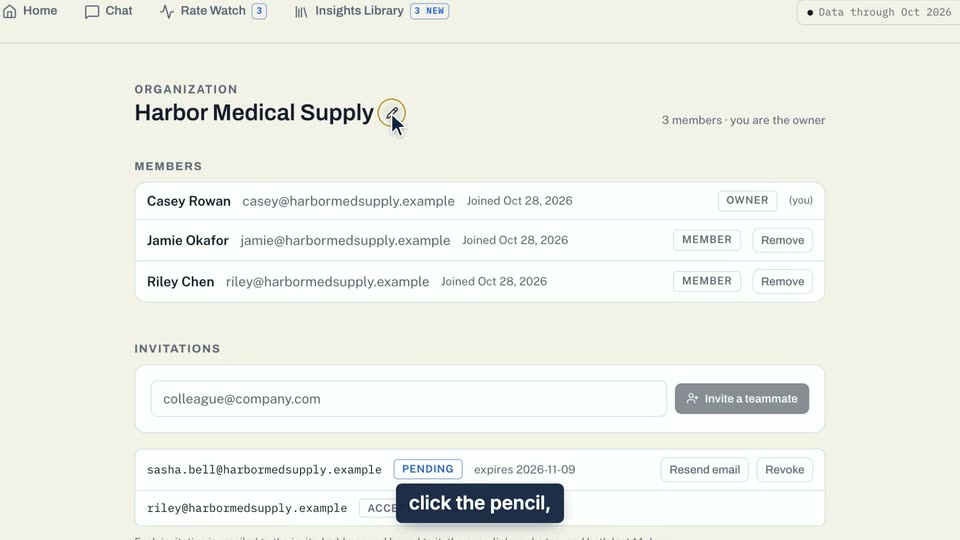
01 On the Team page, click the pencil, type a new name, and click the check. 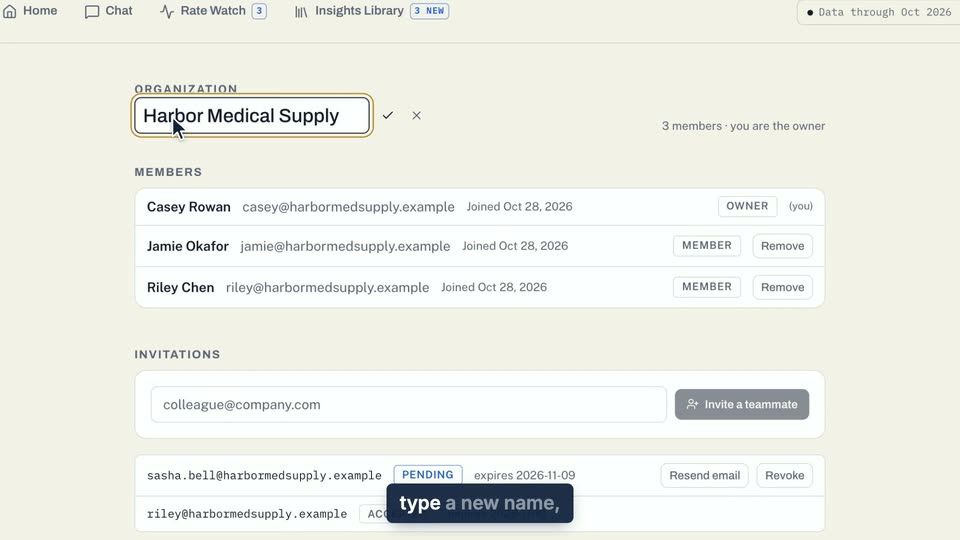
02 On the Team page, click the pencil, type a new name, and click the check. 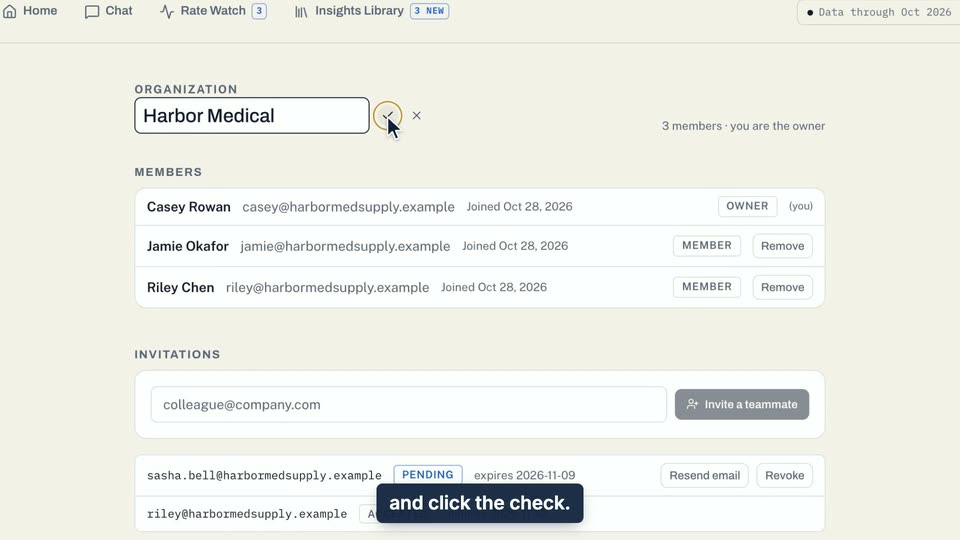
03 On the Team page, click the pencil, type a new name, and click the check.
- Use case
- How do I rename the workspace?
- Feature
- Rename the organization
- Task
- Rename your workspace