How do I watch a code?
Click the bell next to a code on the Rates tab or its page, or Subscribe under a Chat answer. Watching lets you set alert thresholds and narrows News to your codes.
2 videos · 14 sec in all
Video 1 of 2 · 7 sec
Watch a code from the board
Captions are in the video. The steps and the full narration are below.
Step by step
Before you start. Each row on the Rates tab of Rate Watch has a bell at its right end, next to Alert threshold.
- Click Rate Watch in the top bar. The Rates tab opens.
- Find the code's row. Choose Code in the Sort menu to list codes in order.
- Click the bell on that row.
What you see. The bell fills on every row for that code, and the count beside Watching goes up by one. Click a filled bell to stop watching.
Tip. Watching is personal, so your teammates keep their own lists.
Read the narration
On the Rates tab, click the bell on a code's row. Watching now counts that code.
Screens from this video
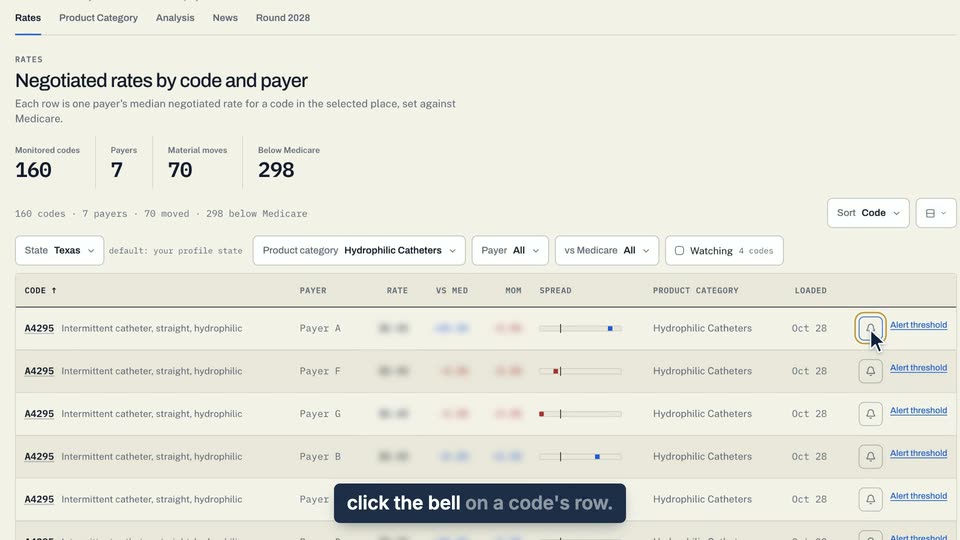
01 On the Rates tab, click the bell on a code's row. 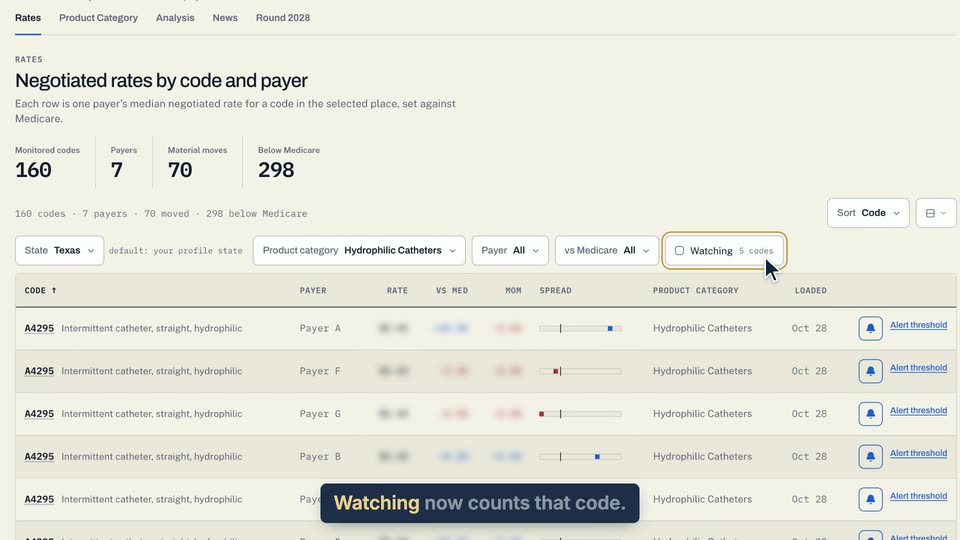
02 Watching now counts that code.
- Use case
- How do I watch a code?
- Task
- Watch a code from the board
Video 2 of 2 · 8 sec
Show only the codes you watch
Captions are in the video. The steps and the full narration are below.
Step by step
Before you start. You need at least one watched code. Watch a code with the bell on its row first.
- Click Rate Watch in the top bar. The Rates tab opens.
- Click Watching in the filter row above the table. It shows how many codes you watch, for example 4 codes.
- Click Watching again to show every code.
What you see. The box beside Watching is checked, and the table lists only your watched codes, one row per payer, each with a filled bell.
Tip. If you watch no codes yet, the board reads No rows match these filters.
Read the narration
On the Rates tab, click Watching. Only the codes you watch stay, each with a filled bell.
Screens from this video
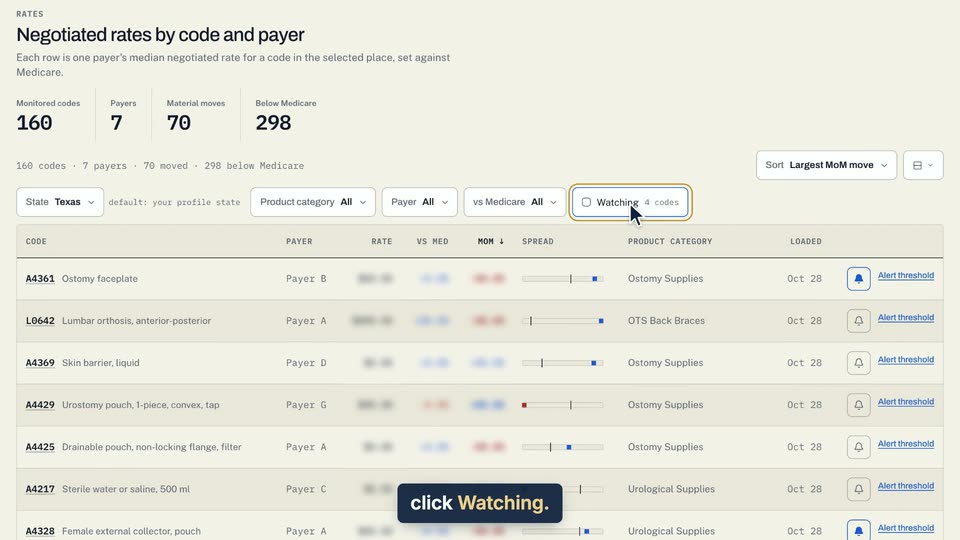
01 On the Rates tab, click Watching. 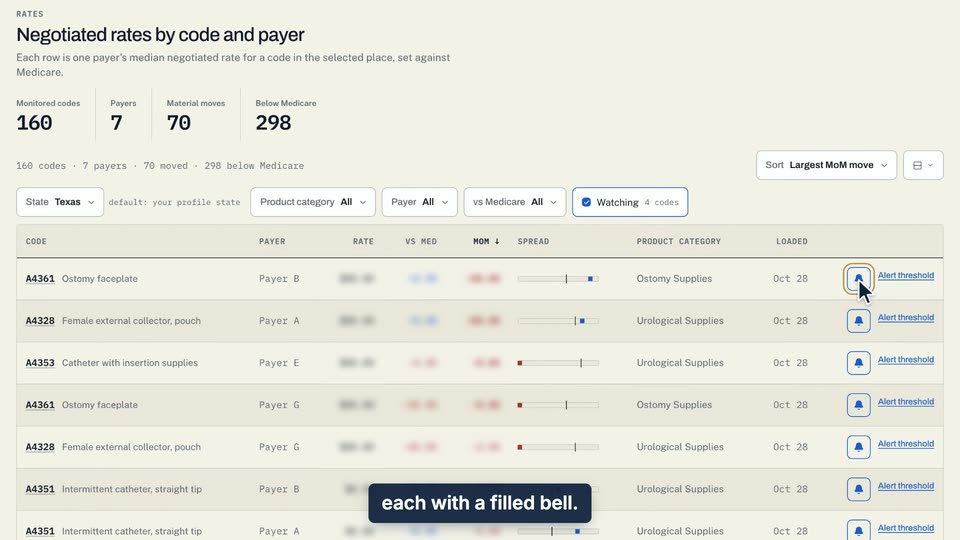
02 Only the codes you watch stay, each with a filled bell.
- Use case
- How do I watch a code?
- Task
- Show only the codes you watch