How do I read the rates in Rate Watch?
Each row on the Rates tab is one payer's median negotiated rate for a code in the place you picked, set beside the Medicare fee, with the change from last month.
1 video · 8 sec in all
Video 1 of 1 · 8 sec
Read a row in Rate Watch
Captions are in the video. The steps and the full narration are below.
Step by step
Before you start. The Rates tab of Rate Watch shows one row per code and payer for the state you pick.
- Click Rate Watch in the top bar. The Rates tab opens.
- Read a row from left to right. Code and Payer say whose rate it is, and Rate is that payer's median rate for the code.
- vs Med compares the rate with the Medicare fee, and MoM shows the change from the month before.
What you see. Blue vs Med values sit above the Medicare fee and red ones sit below it.
Tip. Bold MoM values are material moves, and Spread runs from the lowest to the highest payer median with a tick at the Medicare fee.
Read the narration
Click Rate Watch. Each row is one payer's rate for a code. vs Med compares it with Medicare.
Screens from this video
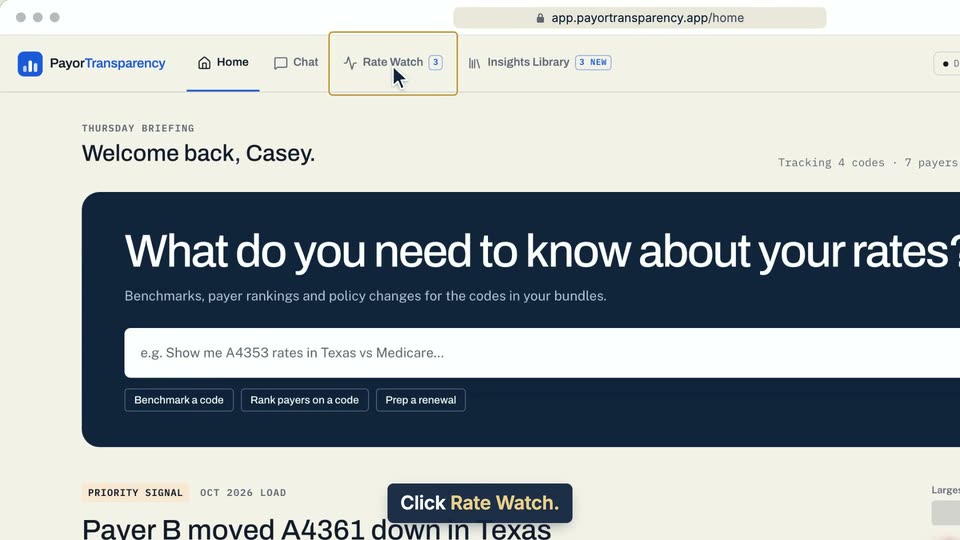
01 Click Rate Watch. 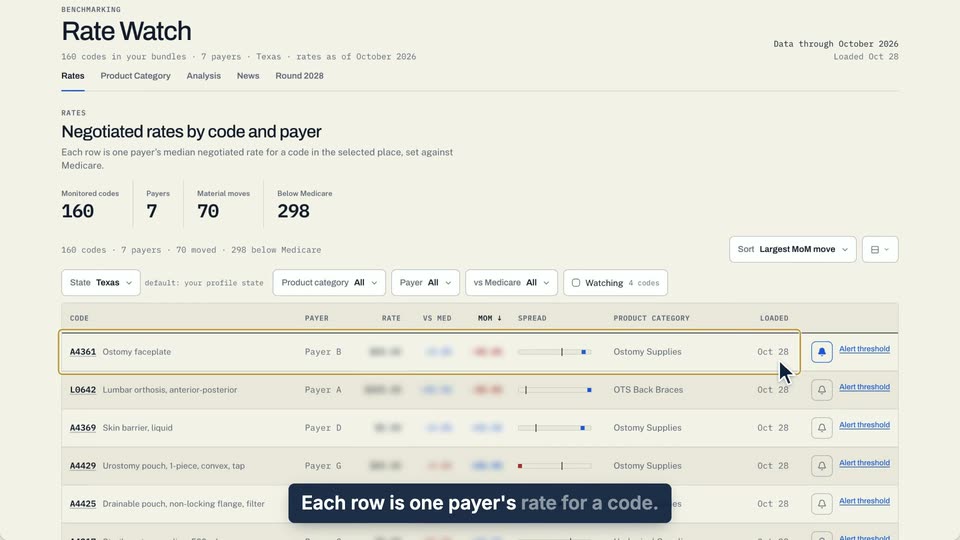
02 Each row is one payer's rate for a code. 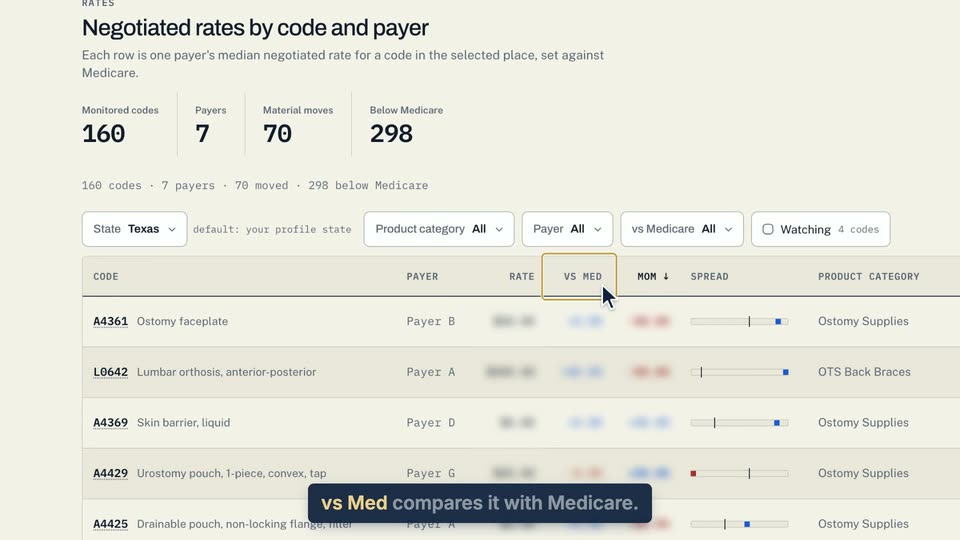
03 Vs Med compares it with Medicare.
- Use case
- How do I read the rates in Rate Watch?
- Feature
- Rates board
- Task
- Read a row in Rate Watch