How do I share an answer or a chat?
Share copies a read-only link to one answer that works for 30 days. Shared with team lets your teammates read the whole conversation.
2 videos · 17 sec in all
Video 1 of 2 · 9 sec
Share an answer with a link
Captions are in the video. The steps and the full narration are below.
Step by step
Before you start. Ask a question in Chat and let the answer finish.
- Under the answer, click Share.
- In Share this insight, click Copy link. The button changes to Copied.
- Paste the link into an email or a message. It opens a read-only view, and the reader does not need an account.
What you see. The link works for 30 days or until you revoke it. Share again for a fresh link.
Tip. Sharing also saves the answer as an insight, so Save insight changes to Saved to Insights.
Read the narration
Screens from this video
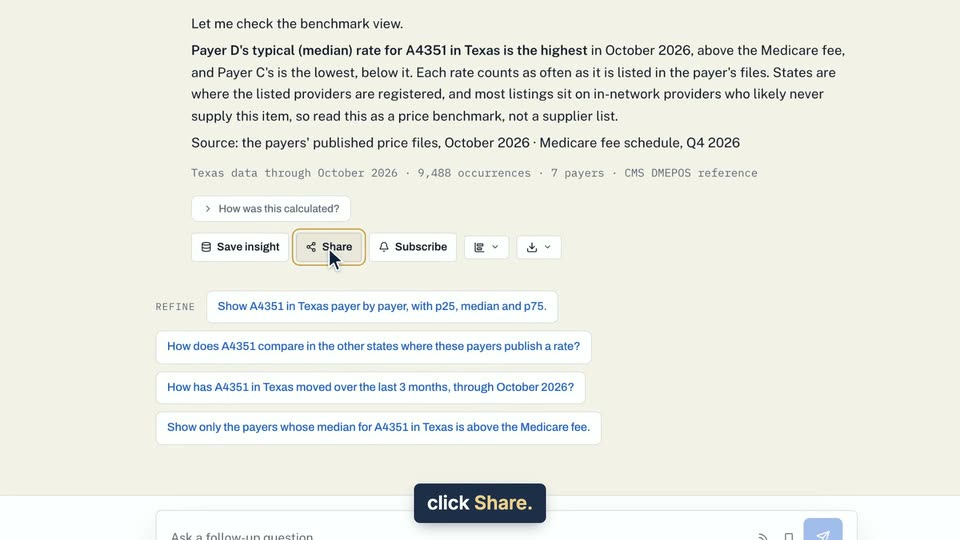
01 Under an answer, click Share. 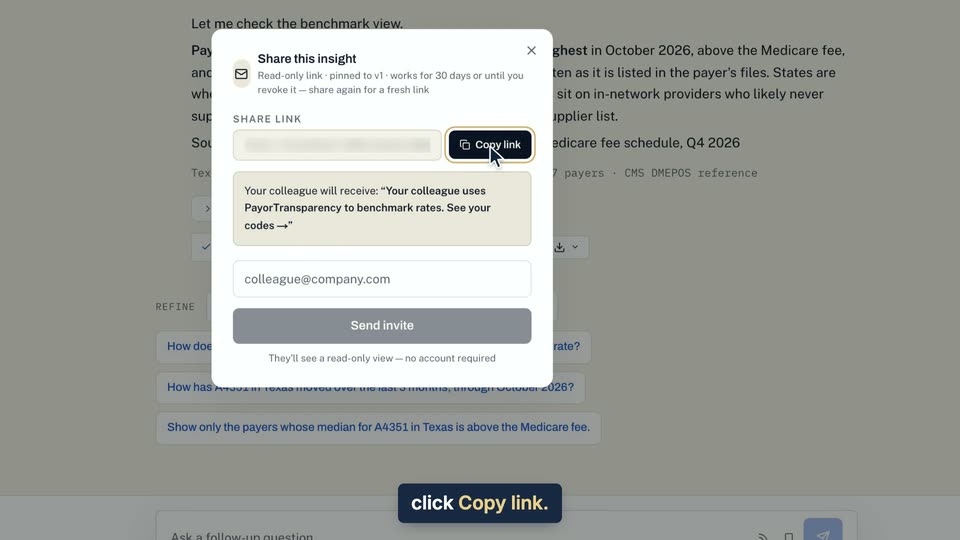
02 In Share this insight, click Copy link. 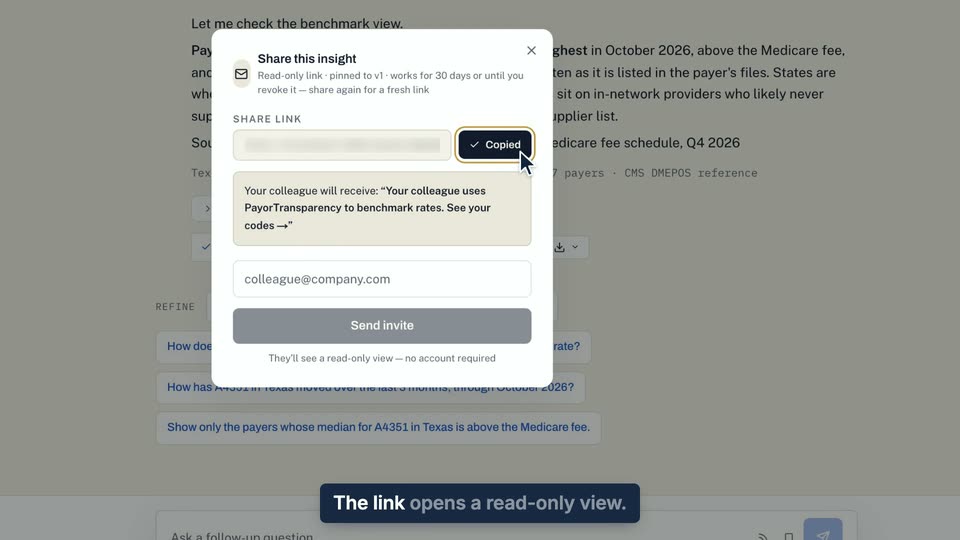
03 The link opens a read-only view.
- Use case
- How do I share an answer or a chat?
- Feature
- Share an answer
- Task
- Share an answer with a link
Video 2 of 2 · 8 sec
Share a conversation with your team
Captions are in the video. The steps and the full narration are below.
Step by step
Before you start. Open a conversation you started in Chat. Only the person who started it sees the Private and Shared with team switch.
- In the conversation header, click Shared with team.
- Your teammates now find it in their Conversations list under Team chats. They can read it, and only you can ask, rename or save in it.
- To stop sharing, click Private.
What you see. The highlight moves to Shared with team, and each teammate's Team chats list shows the chat with your name.
Tip. This shares the chat inside your organization only. To send one answer to someone else, use Share under the answer.
Read the narration
Screens from this video
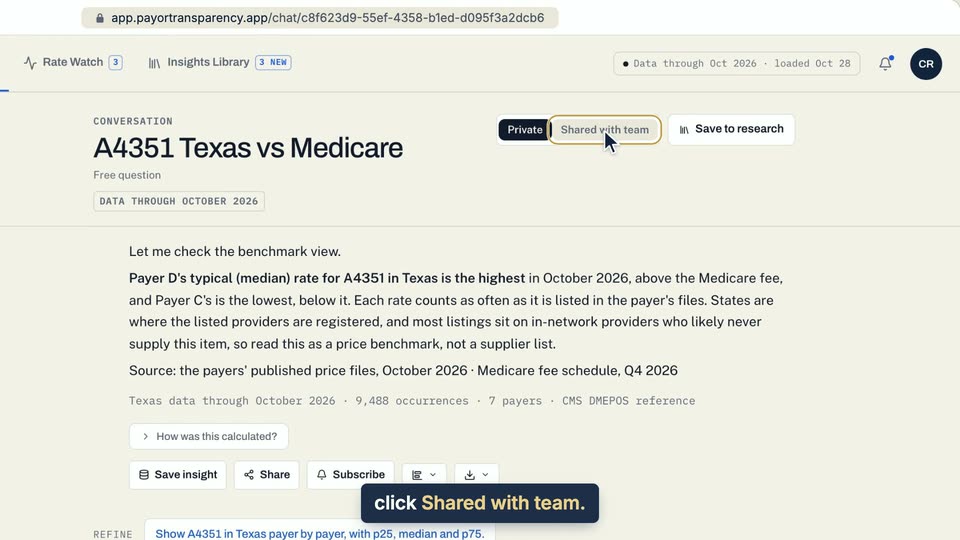
01 In the conversation header, click Shared with team. 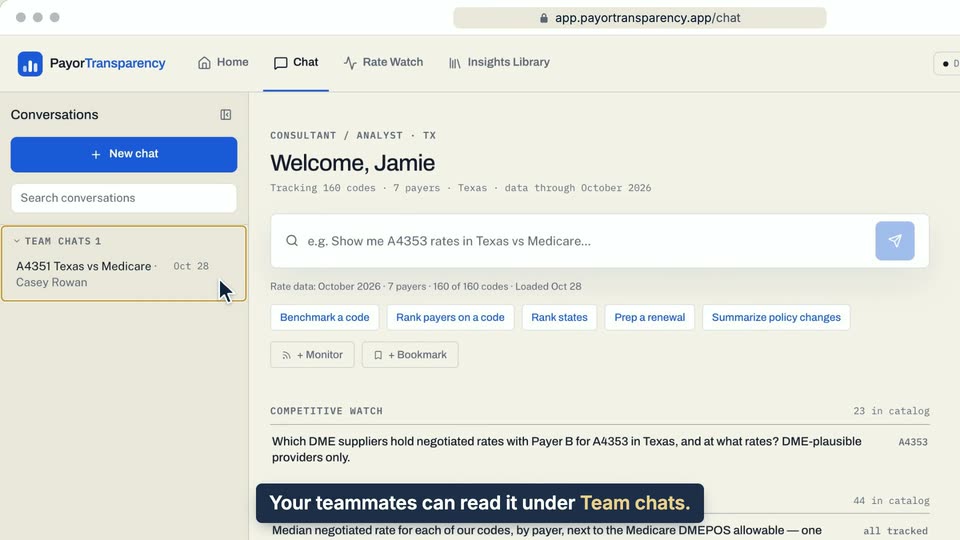
02 Your teammates can read it under Team chats.
- Use case
- How do I share an answer or a chat?
- Task
- Share a conversation with your team